Notice: Function _load_textdomain_just_in_time was called incorrectly. Translation loading for the b-timeline domain was triggered too early. This is usually an indicator for some code in the plugin or theme running too early. Translations should be loaded at the init action or later. Please see Debugging in WordPress for more information. (This message was added in version 6.7.0.) in /home/geacoke/public_html/wp-includes/functions.php on line 6131
Notice: Function _load_textdomain_just_in_time was called incorrectly. Translation loading for the open-user-map domain was triggered too early. This is usually an indicator for some code in the plugin or theme running too early. Translations should be loaded at the init action or later. Please see Debugging in WordPress for more information. (This message was added in version 6.7.0.) in /home/geacoke/public_html/wp-includes/functions.php on line 6131
Notice: Function _load_textdomain_just_in_time was called incorrectly. Translation loading for the woo-checkout-field-editor-pro domain was triggered too early. This is usually an indicator for some code in the plugin or theme running too early. Translations should be loaded at the init action or later. Please see Debugging in WordPress for more information. (This message was added in version 6.7.0.) in /home/geacoke/public_html/wp-includes/functions.php on line 6131
Notice: Function _load_textdomain_just_in_time was called incorrectly. Translation loading for the woo-product-filter domain was triggered too early. This is usually an indicator for some code in the plugin or theme running too early. Translations should be loaded at the init action or later. Please see Debugging in WordPress for more information. (This message was added in version 6.7.0.) in /home/geacoke/public_html/wp-includes/functions.php on line 6131
Notice: Function _load_textdomain_just_in_time was called incorrectly. Translation loading for the woocommerce domain was triggered too early. This is usually an indicator for some code in the plugin or theme running too early. Translations should be loaded at the init action or later. Please see Debugging in WordPress for more information. (This message was added in version 6.7.0.) in /home/geacoke/public_html/wp-includes/functions.php on line 6131
Notice: Function _load_textdomain_just_in_time was called incorrectly. Translation loading for the wp-optimize domain was triggered too early. This is usually an indicator for some code in the plugin or theme running too early. Translations should be loaded at the init action or later. Please see Debugging in WordPress for more information. (This message was added in version 6.7.0.) in /home/geacoke/public_html/wp-includes/functions.php on line 6131
Notice: Function _load_textdomain_just_in_time was called incorrectly. Translation loading for the woocommerce-pdf-invoices-packing-slips domain was triggered too early. This is usually an indicator for some code in the plugin or theme running too early. Translations should be loaded at the init action or later. Please see Debugging in WordPress for more information. (This message was added in version 6.7.0.) in /home/geacoke/public_html/wp-includes/functions.php on line 6131
Notice: Function _load_textdomain_just_in_time was called incorrectly. Translation loading for the xtra domain was triggered too early. This is usually an indicator for some code in the plugin or theme running too early. Translations should be loaded at the init action or later. Please see Debugging in WordPress for more information. (This message was added in version 6.7.0.) in /home/geacoke/public_html/wp-includes/functions.php on line 6131 Mi Router 4C (White) – GEA
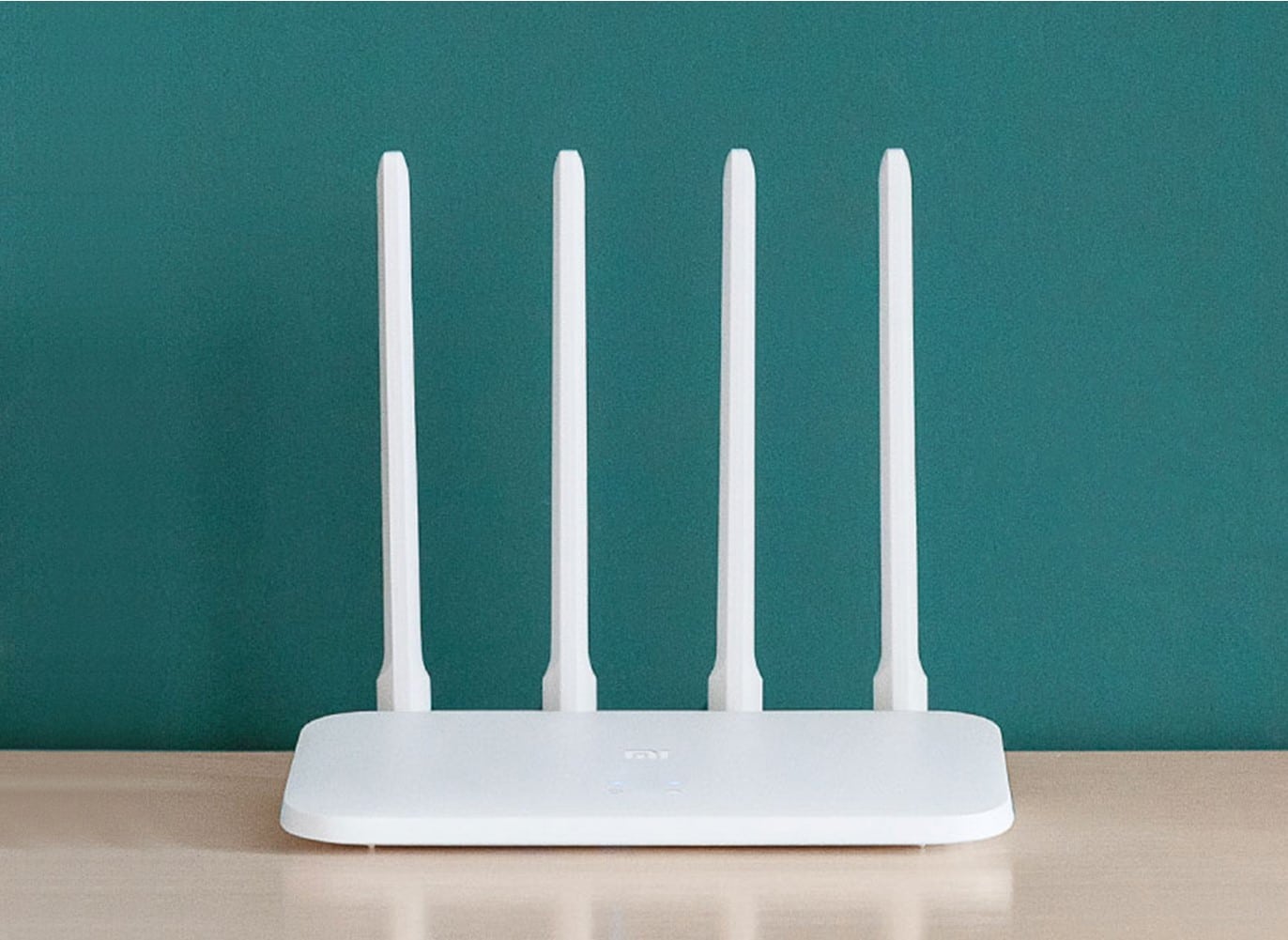
4 omnidirectional antennas for a faster and smarter experience
External antennas for better signal strength 64 MB memory for stable operation Smart management via app.
4 external antennas Powerful signals, wide coverage and fast transmission
The 4 external omnidirectional external antennas with a signal gain of 5dBi can effectively enhance the signal gain effect to improve transmission performance and can be used easily in various complex real-world environments
Large 64MB memory for quick processing and stable operation
With up to 64MB of memory, data transmission is more stable, ensuring the smooth operation of a larger number of functions and the stable connectivity of more smart devices.
Up to 64 devices can be connected, making it the core for Xiaomi Smart Home devices in your home.
*64 devices are the extreme value for integrated access using 2.4GHz/LAN under laboratory conditions. For the best user experience, we recommend connecting no more than 32 devices.
Intelligent speed limit for faster internet access
You can choose a router configuration according to the app market or allow the Mi Router 4C to carry out intelligent optimisation so that you have a smoother experience playing games, watching videos or browsing the web. For a better online experience, you can also prioritize network bandwidth for a single device.
Smart unauthorized access prevention
Greater guarantee of internet speed
The majority of unauthorized Wi-Fi access is due to passwords being too simple or network sharing software being installed. The Mi Router 4C can alert you when a new device connects to the network. If a suspicious device tries to join the network, depending on the security level, it will be blocked from connecting, or you will be prompted to add the device to the blacklist.
Wi-Fi optimisation
To give the network speed a boost, open the Mi Wi-Fi app, go to the toolbox, and simply click “Wi-Fi Optimisation” to automatically monitor and optimize the Wi-Fi channel in multiple dimensions.
Remote management
Your home network in the palm of your hand
You can manage your home network at any time using the Mi Wi-Fi app, enabling you to check the status of your home network even when you’re out.
Quick and easy installation in just three steps
*For details, please refer to the Mi Router 4C User Manual
Connect the power and network cable to the Mi Router 4C
Search for the “Xiaomi_XXXX” wireless network without a password
Log in via a browser or the app, and complete password setup
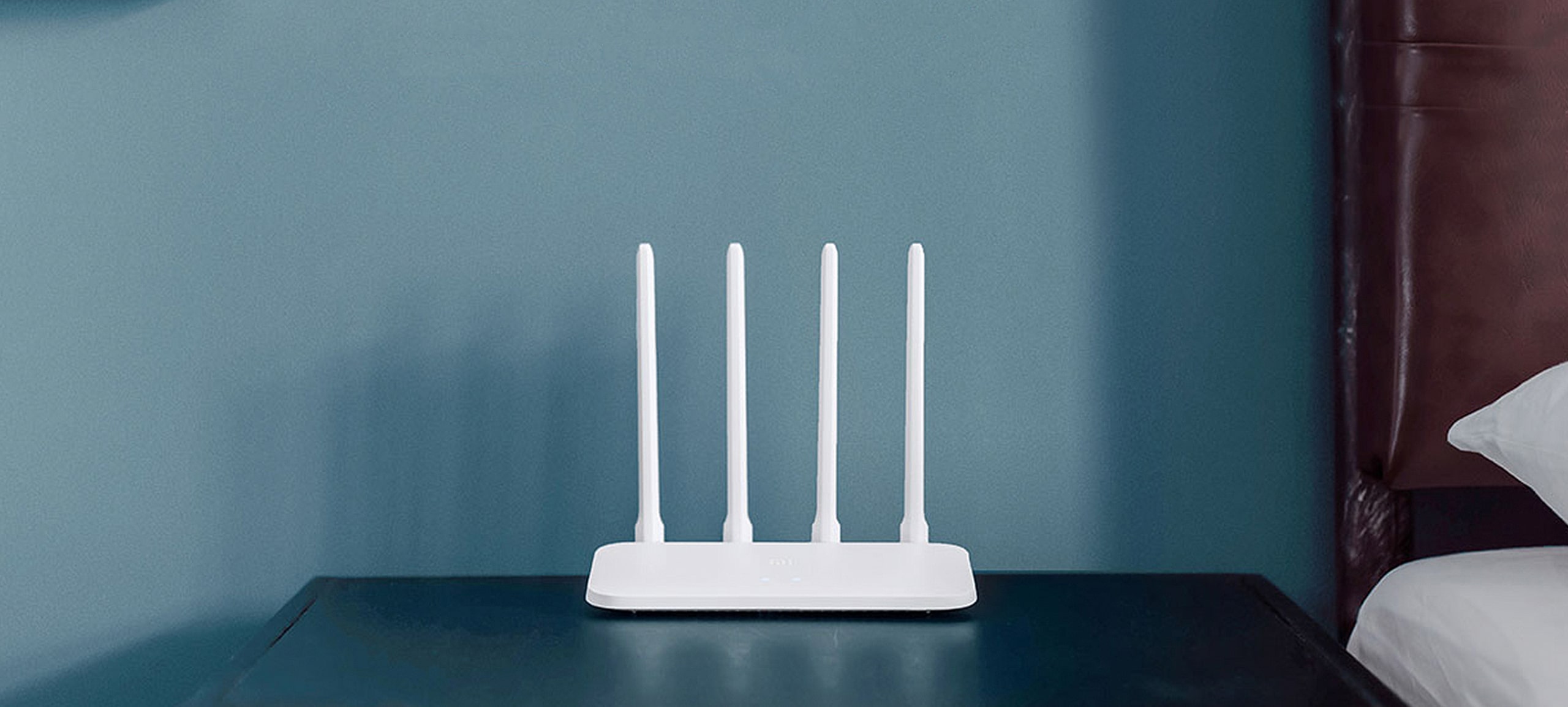
The simple design sits easily in any home
The Mi Router 4C has an understated geometric design with a matte white plastic body. The simple appearance has a natural quality and enables it to blend into any room.
Reviews
There are no reviews yet.
Be the first to review “Mi Router 4C (White)” Cancel reply
Boost your Wi-Fi coverage and eliminate dead zones
300 Mbps max speed
2 external antennas for reliable connections
Stable Wi-Fi performance, connect up to 16 devices
Setup via Xiaomi Home app
Compact design, easy to install and move
Content
4 omnidirectional antennas for a faster and smarter experience
External antennas for better signal strength 64 MB memory for stable operation Smart management via app.
4 external antennas Powerful signals, wide coverage and fast transmission
The 4 external omnidirectional external antennas with a signal gain of 5dBi can effectively enhance the signal gain effect to improve transmission performance and can be used easily in various complex real-world environments
Large 64MB memory for quick processing and stable operation
With up to 64MB of memory, data transmission is more stable, ensuring the smooth operation of a larger number of functions and the stable connectivity of more smart devices.
Up to 64 devices can be connected, making it the core for Xiaomi Smart Home devices in your home.
*64 devices are the extreme value for integrated access using 2.4GHz/LAN under laboratory conditions. For the best user experience, we recommend connecting no more than 32 devices.
Intelligent speed limit for faster internet access
You can choose a router configuration according to the app market or allow the Mi Router 4C to carry out intelligent optimisation so that you have a smoother experience playing games, watching videos or browsing the web. For a better online experience, you can also prioritize network bandwidth for a single device.
Smart unauthorized access prevention
Greater guarantee of internet speed
The majority of unauthorized Wi-Fi access is due to passwords being too simple or network sharing software being installed. The Mi Router 4C can alert you when a new device connects to the network. If a suspicious device tries to join the network, depending on the security level, it will be blocked from connecting, or you will be prompted to add the device to the blacklist.
Wi-Fi optimisation
To give the network speed a boost, open the Mi Wi-Fi app, go to the toolbox, and simply click "Wi-Fi Optimisation" to automatically monitor and optimize the Wi-Fi channel in multiple dimensions.
Remote management
Your home network in the palm of your hand
You can manage your home network at any time using the Mi Wi-Fi app, enabling you to check the status of your home network even when you're out.
Quick and easy installation in just three steps
*For details, please refer to the Mi Router 4C User Manual
Connect the power and network cable to the Mi Router 4C
Search for the "Xiaomi_XXXX" wireless network without a password
Log in via a browser or the app, and complete password setup
The simple design sits easily in any home
The Mi Router 4C has an understated geometric design with a matte white plastic body. The simple appearance has a natural quality and enables it to blend into any room.
Mi 20W Wireless Car Charger
Electric adjustable grip, 20W high-power flash charging*
Maximum power as high as 20WBreaks the record set by the Mi Wireless Charging Pad*
Ideal for driving with its 20W high-power output. Capable of charging Mi 9 from 0 to 45% in 30 minutes and to full power in a mere 90 minutes.*
Support 10W wireless fast charging for Mi MIX 3, 7.5W wireless fast charging for Mi Mix 2S, and wireless charging for iPhone X.
Electric grip with sensorsHolds tight even on bumpy roads
Comes with a hidden infrared sensor and an electric adjustable grip that automatically opens and holds the approaching phone. Secures your phone on bumpy roads, over speed bumps or when you brake sharply.
Step-less adjustment and universal rotation, putting your phone in whatever position you like.
Navigate and charge at the same timeNo need to plug in or remove case*
Begins charging as soon as it touches your phone and allows removal with a single hand when you tap the side button. Effective charging induction distance as far as 4mm, works well with the phone case on.
Glamorous round indicator on a curved glass surfaceAll the brighter, all the mightier
Built-in fan and metal thermal padDoubled cooling and added protection
The built-in fan is capable of smart adjustment and active cooling based on the temperature. The passive heat dissipation is just as excellent with the built-in metal bracket that conducts heat quickly. When the phone is charged at a high power, the doubled cooling can considerably reduce the charging time and mitigate the charging efficiency drop caused by overheat protection. It also provides multiple protection against faults such as short circuit, overvoltage, etc.
One-minute installationTwo selectable options
Open the alligator clip and plug it into the air outlet to install the bracket. Alternatively, you can use the included adhesive dock that works in different locations with multiple car models.
The included standard adapter is required to achieve the Mi 20W Wireless Car Charger’s high-power 20W charging function. The function is only compatible with the Mi 9 and does not support the 5V/1A in-car adapter.
As of February 20, 2019, the Mi 20W Wireless Car Charger had the highest output power among all other Xiaomi wireless chargers.
All test data is from the Zimi Laboratory. A Mi 9 running the MIUI 10.2.4.0 system was tested. The test was conducted at standard room temperature with a 27W adapter, with the phone turned on and the screen turned off in flight mode.
The phone case must be less than 4mm thick and must not contain metal material inside or outside.
The surface must be clean and even. The paste on the back is highly adhesive and forcible removal may cause damage to the upholstery. You are recommended to contact professionals to take care of it.
4K Ultra HD Image Quality: 4K Ultra HD realizes a more detailed and vivid image for you to immerse yourself in.
Dolby Vision & HDR10+: A crisper image in any lighting condition. With Dolby Vision and HDR10+, images now feature a higher dynamic range, and have more amazing brightness, contrast and color than before. HDR images also have more detailed shadows and highlights.
Dolby Atmos & DTS-HD: Extraordinary audio experience. As revolutionary spatial audio technology, Dolby Atmos brings the ultimate cinema experience into your living room by surrounding you with powerful sound effects, and also, DTS-HD delivers extraordinarily high-quality sound.
Powerful Processor: Accelerated experience: The quad-core CPU delivers efficient performance. With high-performance GPU, the TV can now become your new entertainment platform. The 2GB RAM + 8GB ROM combo offers a smoother viewing experience.
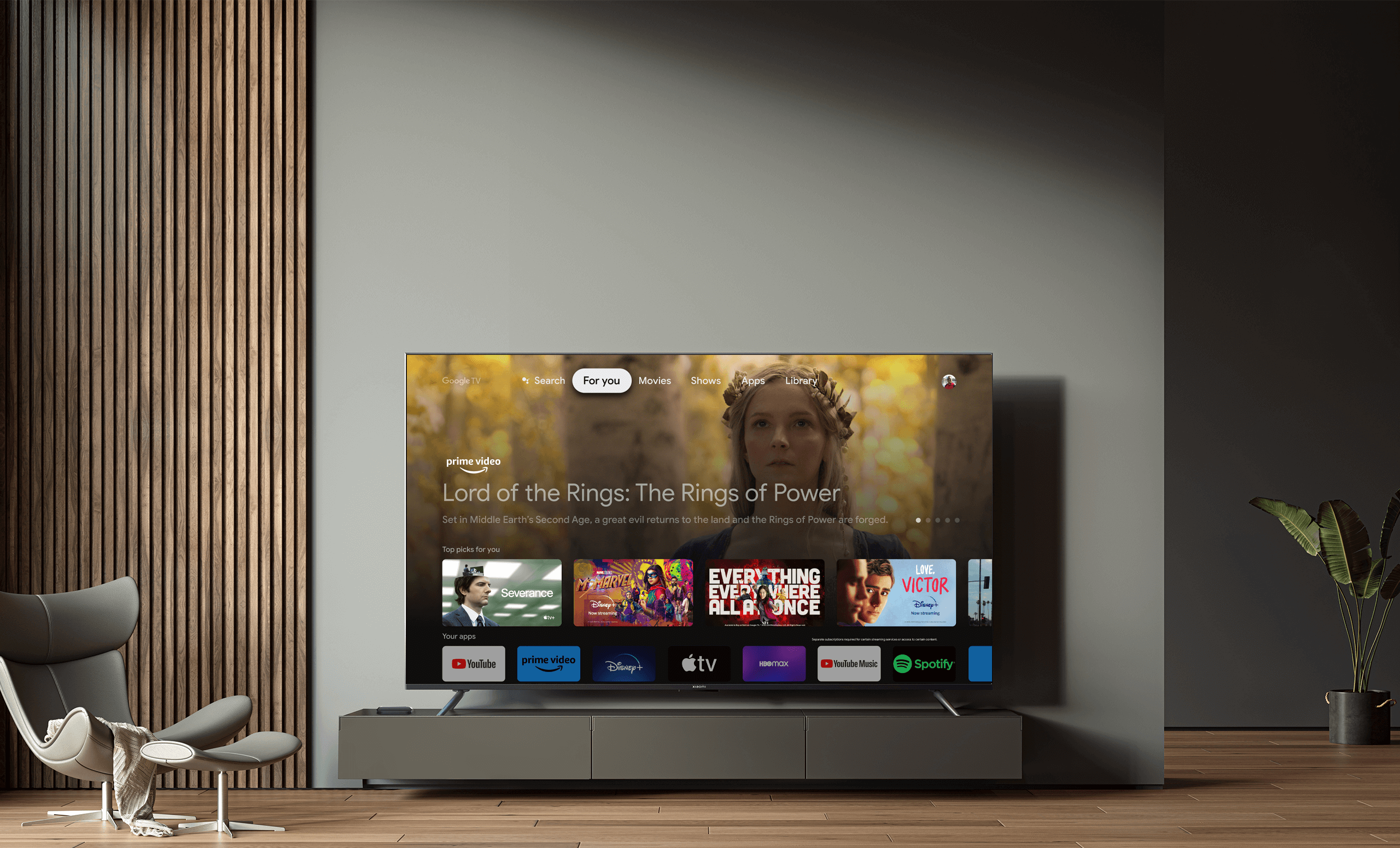
Google TV: Entertainment you love, with a little help from Google. Google TV brings together movies, shows, and more from across your apps and subscriptions and organizes them just for you. Discover new things to watch with recommendations based on what you watch and what interests you, from across your subscriptions and content available to you.
Ok Google: Your TV is more helpful than ever. Ask Google to find movies, stream apps, play music, and control the TV – all with your voice. Even get answers, control smart home devices, and more. Just say “Ok Google” or press the Google Assistant button on the remote to get started.
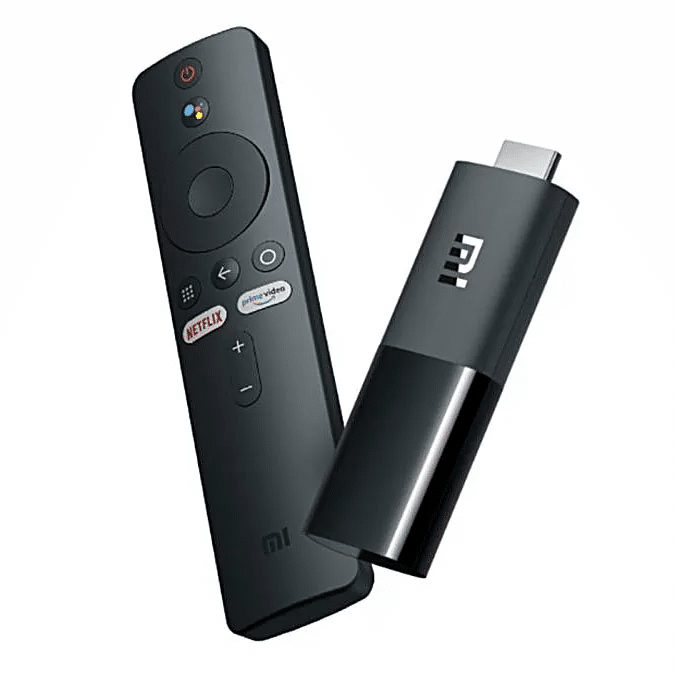
360° Bluetooth & IR Remote Control: The intuitive button layout and Bluetooth allows you to access your favorite content much quicker from any angle. With the built-in IR, you can also control power and volume on your TV or soundbar, all with a single remote.
Wireless Projection: Upgraded viewing angle. Chromecast Built-in makes it easier to project content from smart devices onto the TV, which allows for a wider viewing angle.
Mainstream Ports: Enable more possibilities. Abundant options of mainstream ports that allow easy expansion without restrictions.
What’s in the box:
Xiaomi TV Box S (2nd Gen): 1
Remote control: 1
User manual: 1
Power adapter: 1
HDMI cable: 1
1 Year Limited Warranty*
Warranty becomes null and void from electrical & power surges or power related issues.
Android TV, Google Cast, Google Play and other marks are trademarks of Google Inc.
From the Manufacturer
High Capacity of 20000 mAh and 74Wh:
High capacity of 20000 mAh; Enough capacity to fully charge four Mi 9 phones and still have power left. Built-in smart USB charging controller. Compatible with most phones and digital devices.
Dual Output & Input More Efficient and Convenient:
Redmi Power Bank 20,000mAh has two USB-A output ports and two input ports (a USB-C and a Micro-USB port). Each output port with a maximum output of 18 W when used alone. The combined output of the two ports can reach 5.1 V/3.6 A, so it can be used to charge both phones and tablets.
Advanced Circuit Chips:
Added protection and enhanced safety. The high-precision resistance, inductance, and capacitance components and advanced circuit chips can easily tackle overcharging, over-discharging, overheating, short circuits and other faults, offering reliable protection for both the power bank and devices. Multiple protections and enhanced safety for daily use.
High-density Lithium Ion Polymer Battery:
The high-density lithium-ion polymer battery provides lasting and reliable battery life for devices such as phones, tablets and digital cameras. So you can recharge wherever you are — in the office or on the go.
General Specifications
Brand: Xiaomi
Connector Type:2 USB-A, 1 Micro-USB 1 USB-C
Voltage:3.7 Volts
Color: Black
Battery Capacity: 20000mAh
What’s in the Box
1* 20,000mAh Redmi Power Bank
1 * Micro-USB cable
1 * Instruction manual
6 Month Warranty*
* Warranty becomes null and void from electrical & power surges or power related issues.
From the Manufacturer
Easy Wi-Fi extension
Tired of Wi-Fi “dead zone”? Mi Wi-Fi Range Extender Pro can help you easily connect to the network. Put the extender near the router, turn the power on and wait for the yellow indicator light to start flashing. Scan the QR code to install the app and follow the instructions to add the device. When the indicator light turns blue, pairing is complete. Now you can simply unplug and plug the Mi Wi-Fi Range Extender Pro in a location for the best signal quality and coverage in your house, without needing to configure the extender again.
Boost your wireless network
Mi Wi-Fi Range Extender Pro connects to your router wirelessly, strengthening and expanding its signal to every corner of the home – even to those, hard-to-reach spots, such as bathrooms, balconies, bedrooms. This ensures an increased coverage of reliable and high-speed Internet for devices such as notebooks, tablets, smartphones, game consoles and smart TVs.
2×2 external antenna, with a transmission rate of up to 300Mbps
Add Wi-Fi extenders to vastly speed up your gaming and movie-watching experience. The upgraded Mi Wi-Fi Range Extender Pro now comes with a 2×2 external antenna to maintain a transmission rate of 300 Mbps while also increasing signal stability. The best connection is selected automatically, to give you a better experience anytime, anywhere.
Support up to 16 devices connected simultaneously
Once connected with an existing router, you always get a reliable connection wherever you watch TV, catch up with the latest series or share happy memories with the kids via video call.
Find the best location with Mi Home app
For the best results, Mi Wi-Fi Range Extender Pro needs to be placed somewhere between the router and the dead zone and with a strong and stable router signal — you can check this through Mi Home app.
Specifications:
• Dimensions: 80 x 54 x 70 mm
• CPU: MT7628K 580 MHz
• ROM: 2 MB
• RAM: 8 MB
• Antenna Type: 2 external antennas
• Wireless Standards: IEEE 802.11b/g/n
• Signal Rate: 2.4 GHz, up to 300 Mbps
• Wireless Security: WPA-PSK/ WPA2-PSK encryption
• Power Supply: 100-240 V/0.35 A
Package Contents
• MI WI-FI Range Extender Pro CE (43371)
• 1 Quick Installation Guide
• 12 Month Warranty*
* Warranty becomes null and void from electrical & power surges or power related issues.
Xiaomi Smart Camera C200
360° full viewing coverage for your home security
1080p high resolution | 360° rotation | Infrared night vision | Human tracking
1080p Full HD for clearer video quality
With 1080p Full HD, 2.0 megapixel and WDR support, even backlit pictures appear clear and detailed.
Secure living with panoram 360° pan-tilt-zoom monitoring
Features a dual-axis pan-tilt-zoom motor, with a 360° horizontal viewing angle and 106° vertical viewing angle.
Night vision with no visible red glow for clearer and safer monitoring
Sleep undisrupted with no visible red glow at night and no visual pollution. 940nm infrared light for clearer night-time images.
Connect and view video output on your other smart home devices
When connected to the Mi Smart Clock, you can view camera video output on the display
*Mi Smart Clock is sold separately.
AI human detection for automatic tracking and recording
The all-new AI human-detection algorithm provides faster contour detection and automatic tracking and recording, while effectively filtering false alarms for improved accuracy.
*Human tracking function is disabled by default and can be enabled via the Mi Home/Xiaomi Home App.
Two-way voice calls in real time, so you can “visit home” whenever you like
Support two-way real-time voice calling* that feels like a face-to-face conversation, so you can chat intimately with your loved ones no matter where you are.
*Two-way voice calling refers to two-way real-time calls to the Xiaomi Smart Camera C200 via the Mi Home/Xiaomi Home App.
`Seamless video viewing that saves storage space with H.265 video encoding technology
New-generation H.265 video encoding technology enables more seamless viewing under normal network conditions, saves bandwidth and provides a clear and detailed picture. H.265 videos require only 50% of the storage space required for traditional H.264 videos at the same pixel and data rate, allowing you to save half the storage space.
Three storage methods for increased security
Support three storage methods, local Micro SD card*, NAS devices (such as Mi Wi-Fi and other Network-Attached Storage devices with storage functions) and the cloud, so you can back up your data with peace of mind. Tookfun
Support remote viewing on multiple devices for simple family sharing
Support sharing for multiple users. Video access for the whole family.
Fully encrypted to protect your privacy
Equipped with the Xiaomi Security Chip, the camera can fundamentally prevent privacy leakage caused by video streaming, device forgery etc.
Support standard and inverted mounting, with 180° screen rotation
Includes screw-in base accessories for easy installation. For inverted mounting, rotate the screen in camera settings to display the picture normally.
Enable your security camera in three simple steps
① Download the Mi Home/Xiaomi Home App
② Turn on the Xiaomi Smart Camera C200
③ To start using, open the App, then search for and connect to the device










)
Reviews
There are no reviews yet.