| Content | Samsung Galaxy A05
Galaxy A05 weighs 195g and measures 168.8 x 78.2 x 8.8 mm. It features a 6.7-inch PLS LCD with 720 x 1600 pixels. Samsung Galaxy AO5 runs on Android 13 OS, is powered by an Octa-core Mediatek MT6769V/CZ Helio G85 (12nm) processor, and is anchored by 128GB 6GB RAM.
To capture pictures and record videos, you have a single 8MP selfie camera and dual main camera set up: 50MP + 2MP. Samsung Galaxy AO5 records good quality 1080p@30/60fps videos. Being 4G enabled, with Wi-Fi and Bluetooth (5.3, A2DP, LE), connectivity is decent. Samsung Galaxy AO5 is powered by a Li-Po 5000 mAh, non-removable battery with a fast-charging 25W wired unit.
Samsung Galaxy A05 Specs
| Brand |
Samsung |
| Model |
Samsung Galaxy A05 |
| Announced |
25 September, 2023 |
| Released |
October, 2023 |
| Operating System |
Android 13 |
| Chipset |
Mediatek MT6769V/CZ Helio G85 (12nm) |
| CPU Speed |
Octa-core (2×2.0 GHz Cortex-A75 & 6×1.8 GHz Cortex-A55) |
| GPU |
Mali-G52 MC2 |
| Storage |
64/128GB |
| RAM |
4GB |
| Card Slot |
microSDXC |
| Rear Camera |
50 MP + 2 MP |
| Front Camera |
8 MP |
| Network |
GSM / HSPA / LTE |
| Sim Card |
Single SIM (Nano-SIM) or Dual SIM (Nano-SIM, dual stand-by) |
| Weight |
195 g |
| Dimensions |
168.8 x 78.2 x 8.8 mm (6.65 x 3.08 x 0.35 in) |
| Screen Resolution |
720 x 1600 pixels, 20:9 ratio (~262 ppi density) |
| Display Type |
PLS LCD |
| Display Size |
6.7 inches, 108.4 cm2 (~82.9% screen-to-body ratio) |
| 3.5mm jack |
Yes |
| Bluetooth |
5.3, A2DP, LE |
| GPS |
GPS, GLONASS, GALILEO, BDS, QZSS |
| NFC |
Yes |
| Wi-Fi |
Wi-Fi 802.11 a/b/g/n/ac, dual-band, Wi-Fi Direct |
| USB |
USB Type-C 2.0 |
| Radio |
Unspecified |
| Sensor |
Fingerprint (side-mounted), accelerometer, gyro, compass
Virtual proximity sensing |
| Battery |
Li-Po 5,000 mAh, non-removable |
| Fast Charging |
25W wired |
| Colors |
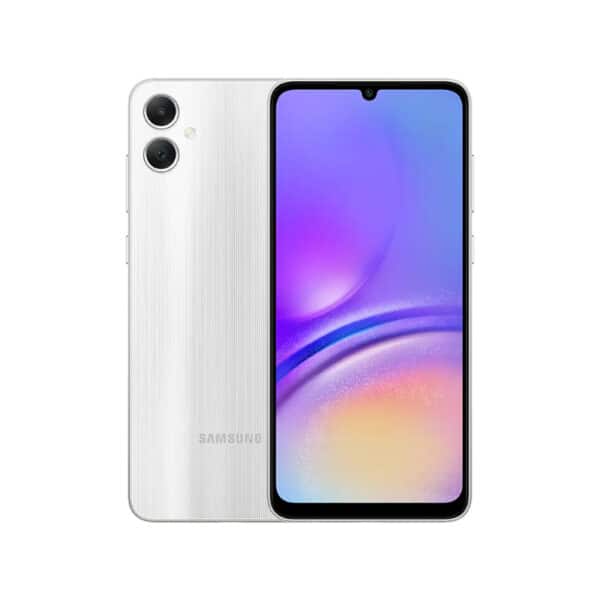
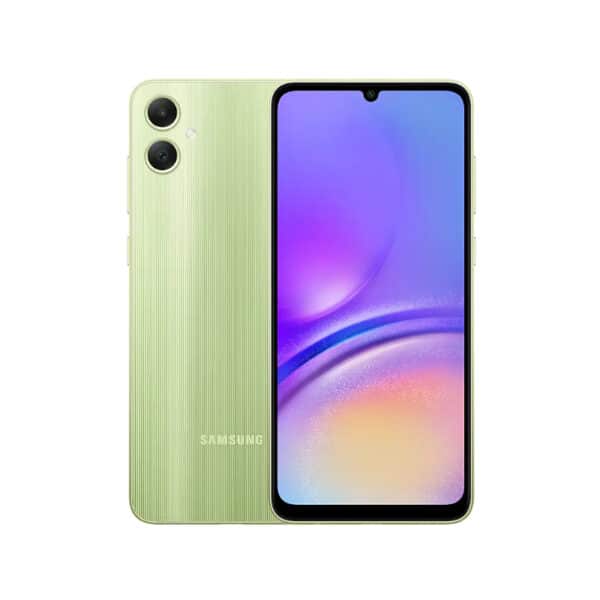
Black, Silver, Light Green |
|
|
Standout Features
The Standout Features on Samsung Galaxy A05 include:
- Powerful 5,000mAh battery
- Decent phone memory: 128GB 6GB RAM
- Latest Android 13 OS
- Decent main camera, 50MP + 2MP
Build and Design of Samsung Galaxy A05
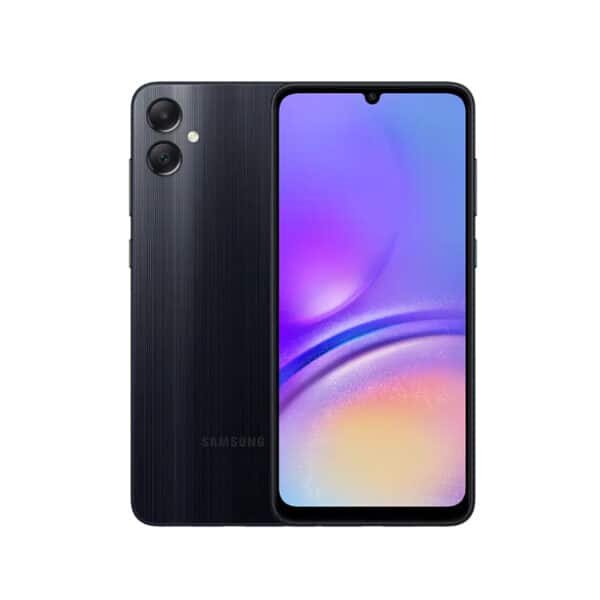
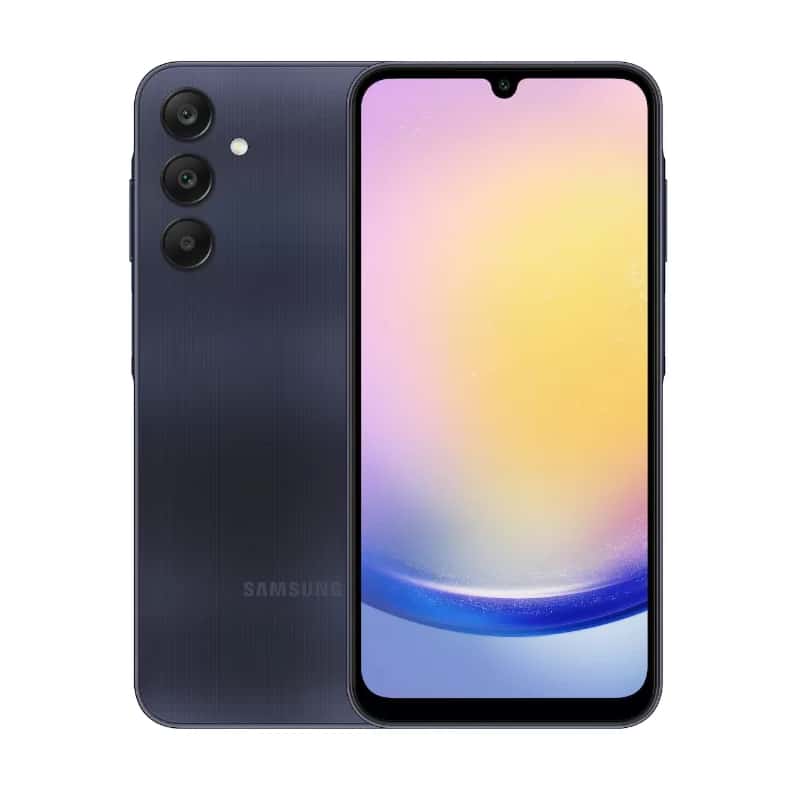
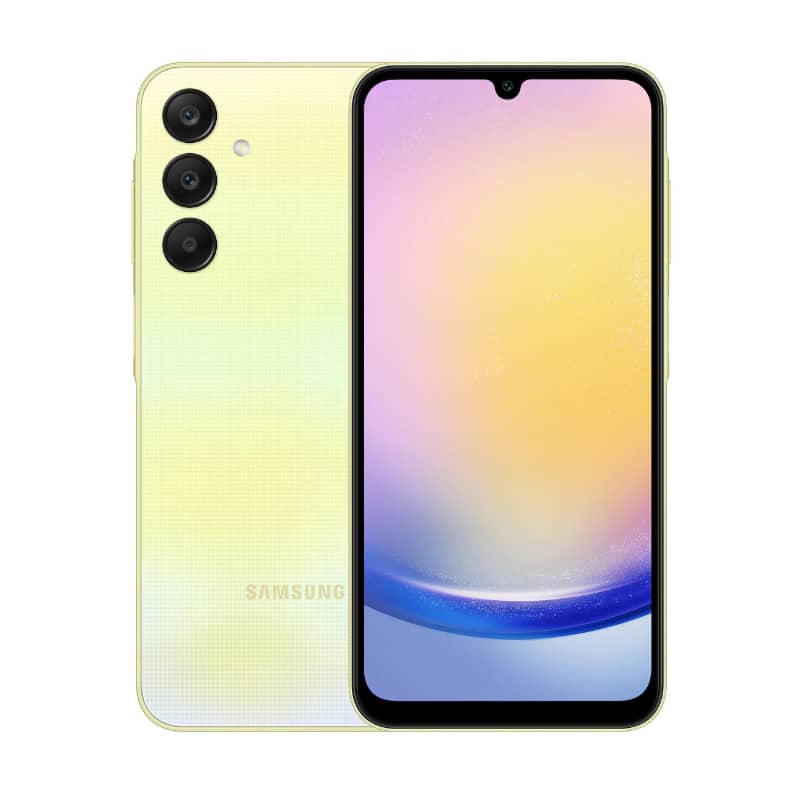
The phone is available in Black, Silver and Light Green and comes in a sturdy frame with a linearly patterned backside. It is a beautiful, slim, sleek phone with a minimalistic, ergonomic design characteristic of most Samsung’s budget and mid-range smartphones.
Samsung Galaxy A05 measures 168.8 x 78.2 x 8.8 mm and weighs 195 g. It is not featherlight but reasonably light and slim enough to enable good handling when placed in the pocket or pulled out to make calls or text a message.
Samsung Galaxy A05 Display
It features a 6.7-inch PLS LCD, with an 82.1% screen-to-body ratio. Such a larger screen provides a platform to enjoy content and media consumption better than smaller screens. However, 720 x 1600 pixels, 20:9 ratio (~262 ppi density) resolution is lower and provides less quality user experience than 1080p resolution. Default refresh rate and resolution are functional, but limit your preferred or expected immersive experience when playing games and browsing through your gallery.
Camera Set-up
Capture the world from different angles. Cherish the photos you take with the powerful 50MP Main camera, the portraits taken with the 2MP Depth camera, and your favourite selfies with the 8MP Front camera.
Performance and Processing Power
Samsung Galaxy AO5 has a powerful octa-core Mediatek MT6769V/CZ Helio G85 processor that powers the phone, enables multitasking, and carries out key functions. Mali-G52 MC2 GPU installed on the handset enables you to effectively and seamlessly play low to mid-setting games without lags and stutters. Anchoring the handset is 128GB 6GB RAM phone memory, besides additional memory support via MicroSD. With 6GB of memory and 128GB internal storage, Galaxy A05 offers efficient performance for the task at hand.
Connectivity and Communication
Samsung Galaxy AO5 is 4G network-enabled, supporting 2G, 3G and 4G bands. You will enjoy decent uploading and downloading speeds of files with the handset. Equally enjoy decent connectivity through:
- Bluetooth:3, A2DP, LE
- Internet: Wi-Fi 802.11 a/b/g/n/ac, dual-band, Wi-Fi Direct
- USB: USB Type-C 2.0
A 3.5mm jack port is a great consideration for the handset, enabling you to connect to your favourite radio stations and enjoy hands-free music and entertainment on your wired headsets.
Battery and Power Management on Samsung Galaxy AO5
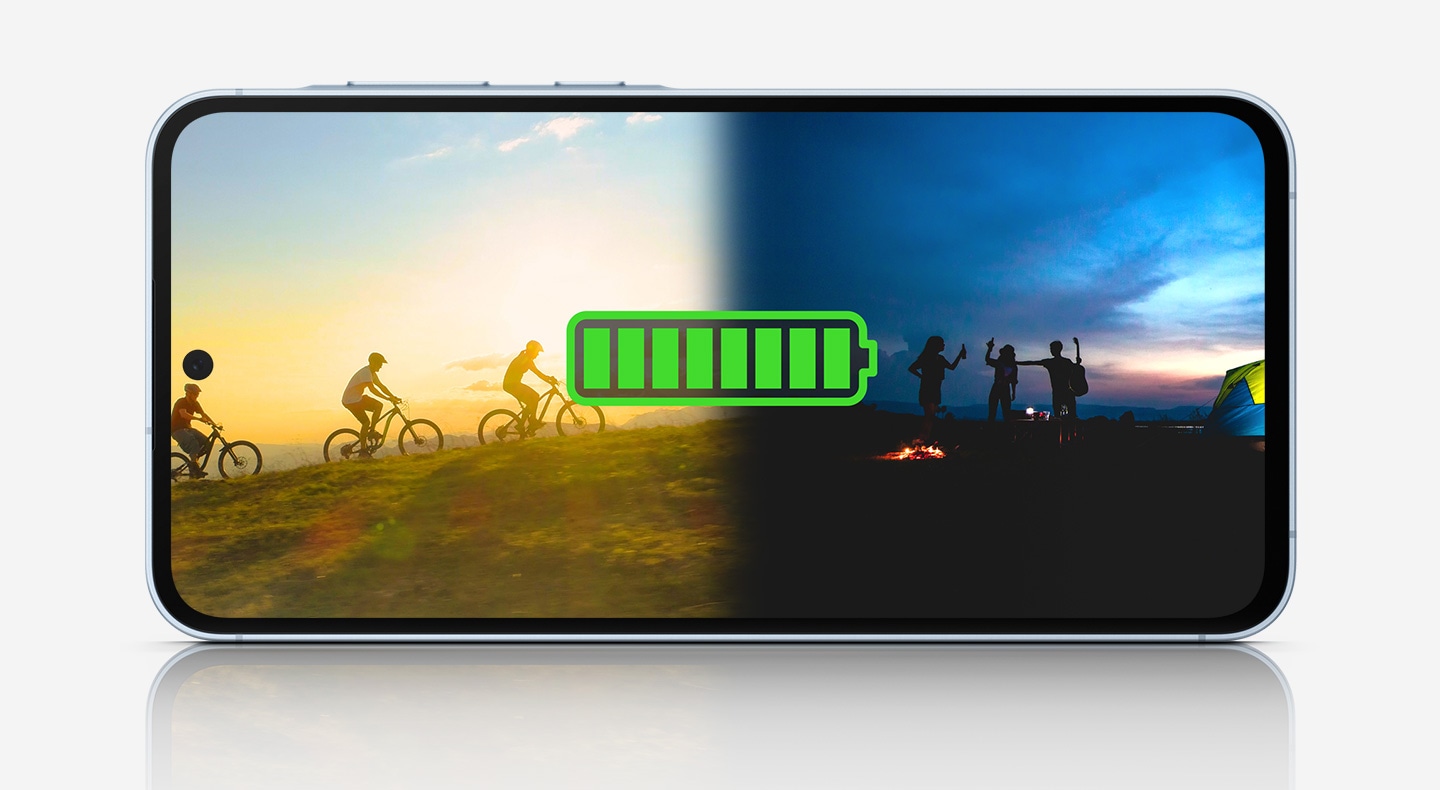
The 5,000mAh (typical) battery gives you more time to do what you love—streaming, sharing, gaming and more. And with up to 25W of Super-Fast Charging, Galaxy A05 gets back to full power quickly.
Pros and Cons of Samsung Galaxy A05
Pros
- 4G enabled
- Affordable
- Large screen
- Decent camera set-up
- Decent processor
- Sufficient meory
- Supports additional memory via memory card
- Has a side-mounted fingerprint sensor
- Large battery and supporting fast charging.
Cons
- No 5G network speeds
- No NFC
- No 4K Video recording capabilities
- Low 720p display resolution
- No Gorilla Glass protection for the screen
- Not good for high performance and gaming due to lower power processor
Verdict
Samsung Galaxy A05 is a great, affordable budget smartphone that will keep you going. Although shaved off most of the features and functionalities found in mid-range handsets, it is still a worthwhile consideration to purchase and own. A 5000mAh battery with wired fast charging support, a large display, and a decent camera set up make it a decent phone. Despite low 720p resolution, no 4K video recording support, no 5G network connectivity and lacking custom UI, you will still find value for your money when it comes to:
- Making and receiving quality calls
- Large display for viewing content
- Large battery with 24+ hours of use before the need to recharge
- An audio jack plug in your wired headset and listen to your favourite shows and videos
- Samsung Galaxy A05 is pretty affordable, retailing at only Kes 15,000.
Alternative Handsets to Samsung Galaxy A05
- Vivo Y15S
- Oppo A18
- Modio M22
- Realme A15
| 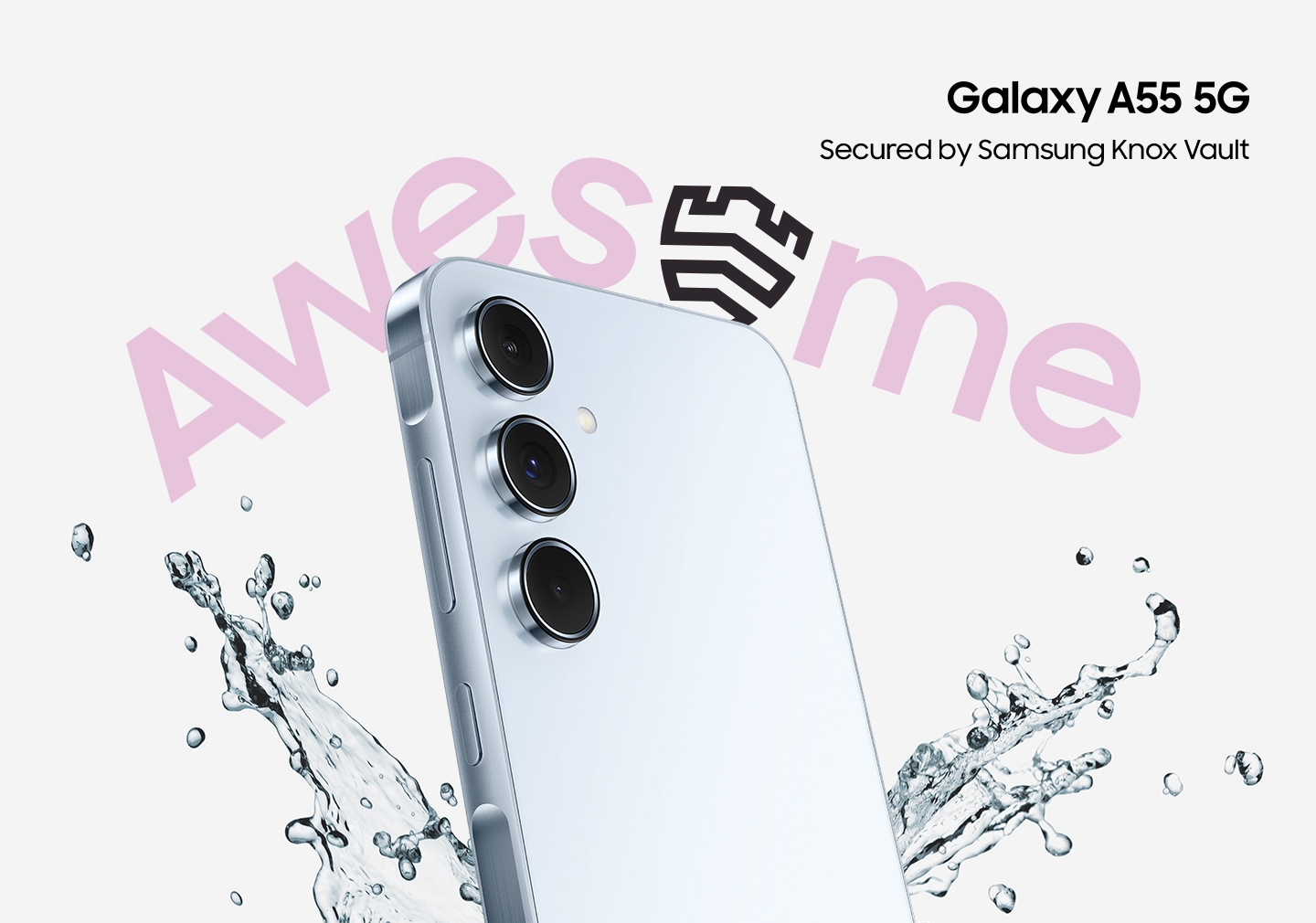
Samsung Galaxy A55 5G
It will replace the Galaxy A54 launched in mid-March, 2023. The device has a 6.6-inch 120Hz Super AMOLED punch-hole display with a screen resolution of 1080 x 2340 pixels and is protected by Gorilla Glass Victus+. Galaxy A55 5G is powered by the Octa-core Exynos 1480 SoC processor with Xclipse 530 GPU. The phone has 128GB 8GB RAM, 256GB 8GB RAM, and 256GB 12GB RAM internal storage specifications; it runs on Android 14, One UI 6.1, and is powered by a 5,000 mAh battery with 25W fast charging.
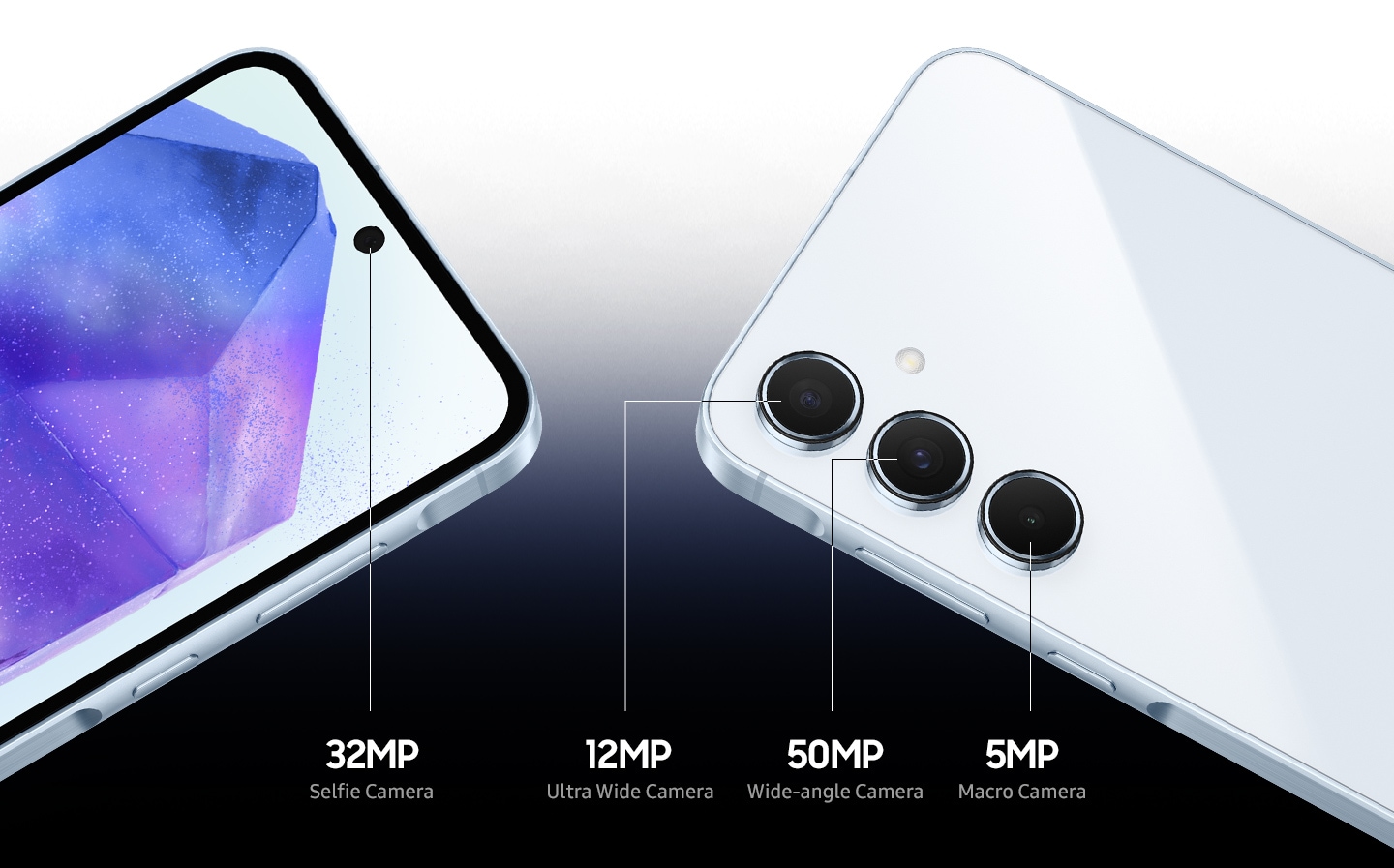
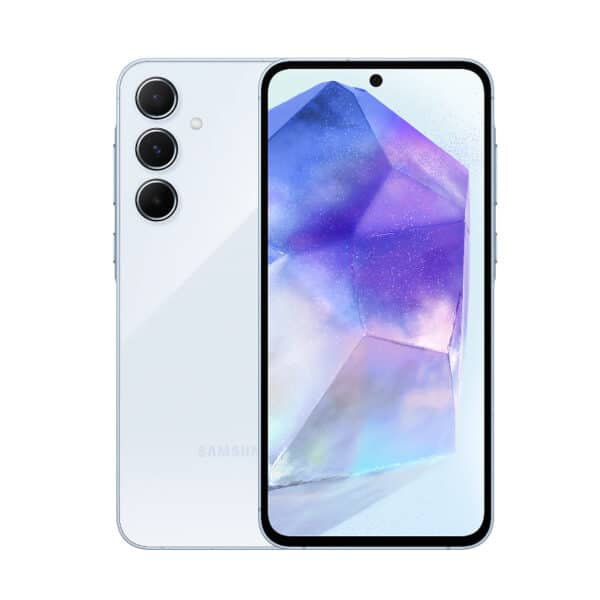
It packs a triple rear camera setup consisting of a 50 MP primary sensor, a 12 MP ultra-wide-angle camera, and a 5 MP macro camera, and on the front, there is a 32MP selfie camera. The Galaxy A55 5G comes in Iceblue, Lilac, Navy, and Lemon colorways.
Unique Selling Points of Samsung Galaxy A55 5G
- Premium Design: It features a premium metal frame with a glass back, giving it a sleek and stylish appearance.
- Camera: It includes a 50-megapixel main rear camera with optical image stabilization (OIS) and a 32-megapixel front camera for high-quality selfies.
- Enhanced Nightography: With Big Pixel technology and advanced AI Image Signal Processing (ISP), the Galaxy A55 is designed to capture stunning low-light images, elevating night photography to new heights.
- Super AMOLED Display: The phone comes with a Super AMOLED display enhanced with Vision Booster technology, providing a vivid viewing experience even in varying light conditions.
- Durability: It is IP67 water and dust-resistant and features Gorilla Glass Victus+ for added scratch and drop protection.
- Performance: Samsung Galaxy A55 is equipped with the Exynos 1480 chip and offers options of 8GB or 12GB of RAM, which is more than the base Galaxy S24 version.
- Software Support: Samsung promises four years of Android upgrades and five years of security updates, ensuring the device stays up-to-date with the latest features and protections.
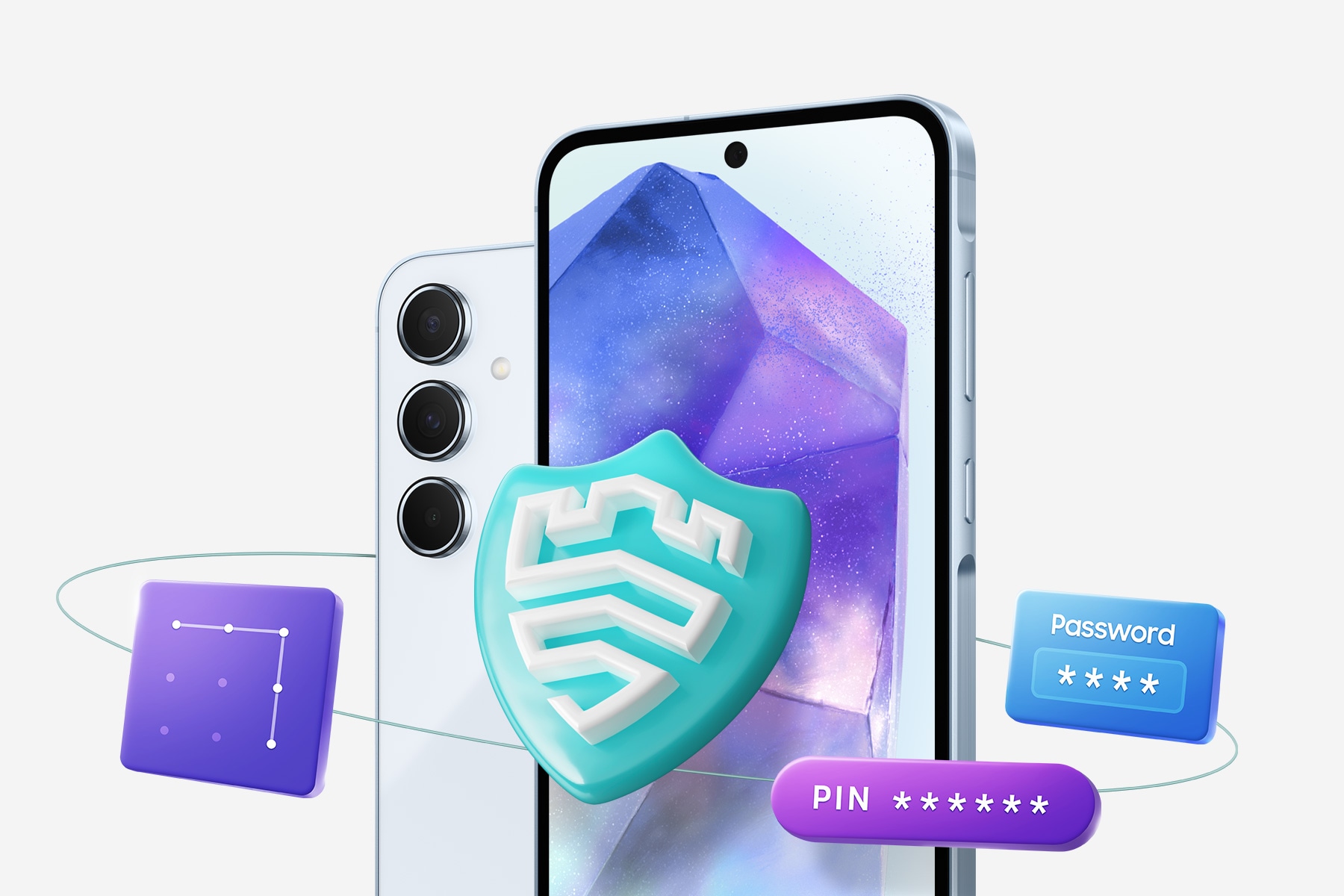
- Samsung Knox Security: For the first time in the Galaxy A series, the A55 includes Samsung Knox Vault, a hardware-based and tamper-resistant security solution.
- Battery Life: A 5,000 mAh battery on Galaxy A55 5G ensures extended use between charges.
Detailed Product Description
Design and Build of Samsung Galaxy A55 5G
Samsung Galaxy A54 boasts a unified design language that aligns with the Galaxy lineup, featuring a distinct camera arrangement similar to the flagship models. It boasts of a minimalist design that deceptively covers lots of sophistication in terms of features, performance, and capabilities of the mid-range handset. The design choices reflect a blend of flagship features with practical considerations for a midrange device, offering a balance between aesthetics and durability.
It is a big, bulky, and somehow weighty phone, measuring 161.1 x 77.4 x 8.2 mm (6.34 x 3.05 x 0.32 in) and weighing 213g. The device boasts a larger 6.6-inch AMOLED display compared to Galaxy A54’s 6.4-inch display. Galaxy A55 body frame is made of Glass front (Gorilla Glass Victus+), glass back (Gorilla Glass), and aluminum frame. The back also features the distinctive Samsung A series Camera design, with 3 separate camera lenses, each encircled by a shiny ring, protruding by nearly 2mm.
The Galaxy A55 is IP67 rated for dust and water resistance, which is still a rarity in midrange phones and enhances its status as a phone built for durability. It supports Single SIM (Nano-SIM, eSIM) or Hybrid Dual SIM (Nano-SIM, dual stand-by). Under its impressive 6.6-inch display is an under-display fingerprint scanner which is instrumental in enhancing phone security from unauthorised access. Available models, based on phone space specs come in Iceblue, Lilac, Navy, and Lemon colorway variants. Overall, the Galaxy A55 5G is designed to provide a comfortable grip and a visually appealing aesthetic that aligns with Samsung’s reputation for quality in smartphone design and build.
Samsung Galaxy A55 5G Display
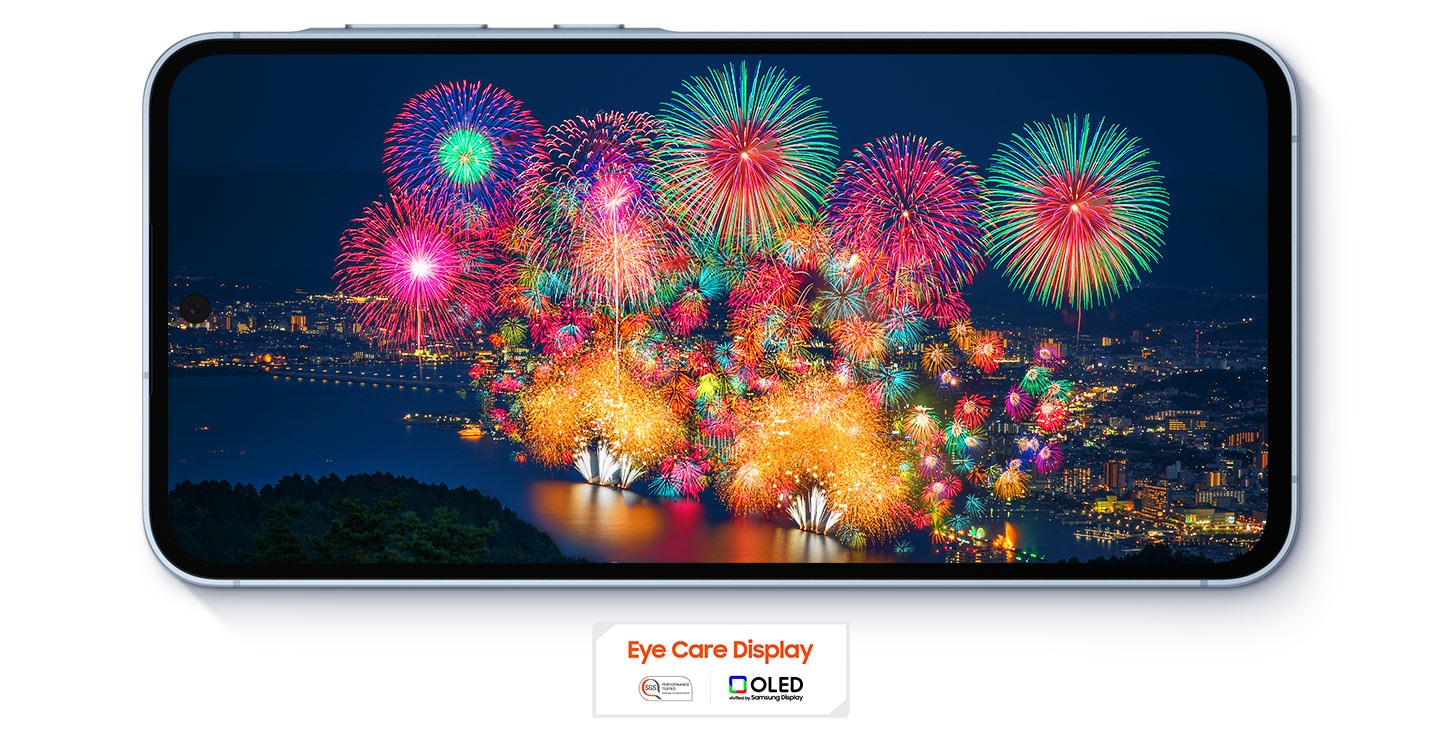
It boasts a 6.6-inch FHD+ Super AMOLED display with a refresh rate of up to 120Hz and features Vision Booster technology for enhanced visibility in various lighting conditions. The display is designed to provide a vivid and immersive viewing experience, whether you are watching videos, playing games, or browsing the web. To enhance durability, Samsung installed the Corning Gorilla Glass Victus+ screen protector on the A55 model, which is an improvement to the equally effective Corning Gorilla Glass 5 on the Galaxy A54.
Camera Set Up
Samsung Galaxy A55 5G features a versatile camera setup designed to cater to various photography needs. The device’s camera specifications include:
- Primary Camera: 50MP sensor with an f/1.8 aperture lens, equipped with autofocus (AF) and optical image stabilization (OIS).
- Ultra-wide Camera: 12MP sensor providing a 123-degree field of view with an f/2.2 aperture lens.
- Macro Camera: 5MP sensor with an f/2.4 aperture lens for close-up shots.
- Selfie Camera: 32 MP, f/2.2, 26mm (wide), 1/2.74″, 0.8µm
In terms of performance, the camera system delivers:
- Accurate exposure and a fairly wide dynamic range in bright light and indoors.
- Fairly high texture levels in bright light conditions.
- 4K and 1080p video recording
- Fairly good video stabilization when recording while stationary.
However, the Galaxy A55’s camera system has some limitations you need to be aware of to manage your expectations of its performance and leverage its strengths for the best camera experience:
- Some autofocus and exposure instabilities and stepping.
- Noise, particularly in shadow areas of the frame.
- Occasionally inaccurate color rendering.
- Ineffective video stabilization when moving while recording.
- Limited zoom capabilities with low texture and limited dynamic range in zoom shots.
Overall, the Samsung Galaxy A55 5G’s camera setup offers a solid performance for its class, with a few areas that could be improved in challenging shooting conditions. You stand to enjoy much with Big Pixel technology and advanced AI Image Signal Processing (ISP), the Galaxy A55 is designed to capture stunning low-light images, elevating night photography to new heights
Performance
The Samsung Galaxy A55 5G is equipped with the following specifications for optimal performance:
Operating System
It runs on Android 14, complemented by Samsung’s One UI 6.1. Android 14 comes along with a host of new features aimed at enhancing personalization, privacy, security, and accessibility.
Android 14 OS
Here are some of the key highlights include:
- Personalization: Improved photo quality, new themes, and AI-generated wallpapers to customize your device to your style.
- Privacy and Security: Updates include restricting photo and video access, and data protection with 3rd party apps.
- Accessibility: Non-linear font scaling, using the Android camera as a webcam, and a transparent navigation bar.
- Camera and Media: Features like ultra HDR for images and passkeys for 3rd
- User Experience: Custom actions and improved ranking in the share sheet, separate ring, and notification volume settings.
These features are designed to make the Android experience more customizable, accessible, and protective when using your Android 14-based Samsung Galaxy A55 5G.
Samsung’s One UI 6.1
It is an update that brings a variety of new features and improvements to enhance your experience on Samsung devices, like in this case the Galaxy A55 5G. Some of the key features introduced with One UI 6.1 include:
- AI Integration: One UI 6.1 includes several AI features, such as Circle to Search, which allows users to circle anything on the screen to search for it via Google Search.
- Live Translation in Calls: This feature provides real-time translation during calls, displaying what is being said as text on-screen.
- Enhanced Quick Panel: The quick panel has been redesigned for easier access to frequently used features, with dedicated buttons for Wi-Fi and Bluetooth.
- Improved Notification Layout: Notifications now appear as separate cards for better visibility, and full-color icons are used for a more vivid display.
- Lock Screen Customization: Users have more freedom to move the clock to their preferred position on the lock screen.
- Simplified Home Screen: App icon labels are limited to a single line for a cleaner look, and some app names have been shortened.
- Multitasking Enhancements: Pop-up windows remain open when accessing the Recents screen, allowing you to continue your tasks without interruption.
- Samsung DeX Updates: The new Samsung DeX allows for switching between DeX mode and tablet mode while maintaining the same home screen layout.
These features aim to personalize everyday experiences, increase productivity, and ensure data security and privacy. From a user point of view, these features on the operating system make the Samsung Galaxy A55 more user-friendlier, customizable, optimize production, and limit data breaches to 3 rd parties. This enhances the overall perception and stance of Samsung as one of the best smartphone brands.
Processor
Samsung Galaxy A55 5G is powered by an Exynos 1480 chipset, which includes an octa-core CPU with 4×2.75 GHz Cortex-A78 & 4×2.0 GHz Cortex-A55 cores. The chipset handles well most of the tasks placed on it, with a 702695 score on the AnTuTu BenchMark 10, which is quite robust and impressive. On Geekbench 6, it achieves 1173 points in the single-core test and 3529 points in the multi-core test, reflecting good CPU efficiency. The chips equally offer a decent gaming experience with a score of 47, but fall short for the top, most demanding games.
Phone Storage
It offers expansive internal storage options, which can be expanded via a microSD card up to 1TB. The available storage specifications include:
- 128GB 8GB RAM;
- 256GB 8GB RAM;
- 256GB 12GB RAM, all with UFS 3.1
These specifications profile the Galaxy A55 as a workhorse, especially when you consider the massive RAM options, equally decent internal storage capacity (RAM), and supporting additional memory up to 1TB.
Overall view on Samsung Galaxy Performance
These detailed features above combine to provide a smooth and responsive user experience, whether you are multitasking, gaming, or using demanding applications. The ample storage options mean you can keep all your important files, photos, and apps easily accessible. Android 14, complemented by Samsung’s One UI 6.1 combines to provide one of the most user-friendly, adaptable, privacy-enhancing, and productivity-enhancing Operating systems on Samsung smartphones, way ahead of its rivals. The combination of the Exynos 1480 processor, ample RAM, and fast UFS 3.1 storage contributes to the overall responsive experience of the device.
Connectivity and Communications Support
The Samsung Galaxy A55 5G offers a comprehensive range of connectivity and communication features:
- Network: The device supports 5G connectivity and comes with a Nano SIM card slot. eSIM support is also available, but applicability depends on the region.
- Wi-Fi: Wi-Fi 6 (802.11 a/b/g/n/ac/ax) with support for Dual Band, Wi-Fi MiMO, Wi-Fi Direct, Wi-Fi Hotspot, and Wi-Fi Display.
- Bluetooth: v5.3 with LE (Low Energy) support.
- USB: USB Type-C with USB 2.0 features, including Charging, USB-storage mode, and OTG (On-The-Go).
- GPS: Includes support for GPS, GLONASS, Beidou, Galileo, and QZSS.
- NFC: supported, with availability depending on the region.
- Sound: Stereo speakers with Dolby Atmos support for an immersive audio experience.
- 5mm Jack port: not supported
- FM Radio: Not supported
These features ensure that the Samsung Galaxy A55 5G provides fast and reliable communication, and makes you productive and accessible at all times to family, friends, and the online community through social platforms to share knowledge and moments.
Battery and Power Management
Samsung Galaxy A55 5G packs a 5,000 mAh battery that supports 25W fast charging. This allows the phone to charge up to 57% in just 30 minutes. The device does not support wireless charging or reverse charging, which is a disappointment. Nevertheless, its fast-charging capability ensures that you can quickly power up the device when needed. The full charging time for the battery is approximately 1 hour and 2 minutes.
Power Management
Galaxy A55 5G includes features to optimize battery life, such as adaptive power-saving modes and app usage monitoring to reduce power consumption by apps that are not frequently used. These features help in extending the battery life, making the device more efficient for daily use.
Pros and Cons of Samsung Galaxy A55 5G
Pros
-
Full metal aluminum frame and overall premium build compared to Galaxy A35 or A54 models.
- Equipped with the Exynos 1480 chipset and up to 12 GB of RAM, it offers robust and solid performance.
- It features a 6.6-inch Super AMOLED screen with a 120 Hz refresh rate and HDR10+ support, providing an immersive, cinematic viewing experience.
- The triple-camera setup with a 50 MP main sensor, OIS, and 4K video recording capabilities fit the bill for a handset of this stature.
- A 5,000 mAh battery with fast charging provides a good balance between capacity and charging speed to keep you going.
- The handset has an IP67 water and dust resistance rating, coming along with Gorilla Glass Victus for durability.
- Galaxy A55 runs on Android 14 with Samsung’s One UI 6.1, ensuring a user-friendly experience.
- It supports 5G, Wi-Fi 6, and Bluetooth 5.3, all of which help provide optimized seamless connectivity.
Cons
- Gaming Performance: Samsung Galaxy A55 is not the best choice for high-end gaming, considering its low score on geek benchmarking.
- Slow Recharging: While it supports fast charging, it is slower compared to some rivals such as Redmi Note 13 Pro 5G which has 5,100mAh battery and 67W fast charging capabilities.
- No Wireless Charging support: Lacks wireless charging, which is becoming a standard feature in many smartphones which this price range.
- Price point: Rivals are offering slightly better value for the price, such as Redmi Note 13 Pro 5G, Vivo S18, Huawei Nova 10 SE, Tecno Camon 30 5G, and Vivo V30 5G.
Verdict
Samsung Galaxy A55 5G is an awesome mid-range device, stepping in quite well to replace the otherwise impressive and enigmatic Galaxy A54. The device offers accurate exposure and fairly high texture levels in bright light, with fairly good video stabilization when stationary. Improved AI processing and Nightography tech provide clearer photos in poor lighting conditions. Moreover, the new Exynos 1480 chipset is a step up from the previous model, potentially offering better performance.
However, you need to be wary of the highlighted video stabilization issues when recording videos, raising concerns about the handset 4K and image stabilization capabilities. Galaxy A55 also lacks a dedicated telephoto camera module, which limits the zoom image quality. Besides, the Bokeh Mode is less accurate than that on Samsung Galaxy A54. Before concluding, it makes sense to draw a comparison between Galaxy A54 and A55 models.
Comparison between Samsung Galaxy A54 and A55 Models
Similarities
- Similar Battery and recharging specs (5000mAh, 25W)
- 5G Connectivity
- Network Technology: Both support GSM, HSPA, LTE, and 5G network technologies.
- Build Quality: Each model is IP67 dust/water resistant (up to 1m for 30 min).
- Display: They both feature a Super AMOLED display with a 120Hz refresh rate, HDR10+, and a peak brightness of 1000 nits.
- Operating System: Galaxy A54 comes with Android 13, upgradable to Android 14, while the A55 starts with Android 14. Both run on One UI.
- Memory Card Slot: Both have a microSDXC card slot with a shared SIM slot.
- Main Camera: The primary camera setup includes a 50 MP wide sensor with PDAF and OIS and a 12 MP ultrawide sensor.
|
Differences
- The A55 has a more robust build quality with Gorilla Glass Victus+ and an aluminum frame.
- A54 weighs 202g, A55 weighs 213g
- The A55 features a newer chipset, which may offer better performance.
- The camera systems differ, with the A55 potentially offering better performance due to newer technology.
- The A55 comes with the newer Android 14 and One UI 6.1 out of the box.
- A55 comes with better storage specs, up to 256GB and 12GB RAM which is lacking in Galaxy A54.
- Chipset: A54-Exynos 1380 (5 nm), A55-Exynos 1480
- Galaxy A55 is a recent model, justifying its slightly higher price.
|
Summary
In summary, Samsung Galaxy A55 5G offers incremental upgrades over the A54, particularly in terms of build quality, chipset, and software. The A55 offers a larger display, a more robust build quality with Gorilla Glass Victus+, a newer chipset, and potentially better camera capabilities and memory options. It is also the more recent model, which might justify its higher price point. The choice between the two models will narrow down whether these upgrades are worth the potential difference in terms of price for you. Whereas you may opt for Galaxy A55 for obvious reasons, the A54 stands its ground and is a fan favorite in terms of performance, and specs and offers the more budget-friendly option. Arguably, it is still a good performance package, far above many rival brands within the price range and specs.
Conclusion
Overall, the Samsung Galaxy A55 5G seems to be a solid mid-range option, especially if you are interested in phone build, processing capabilities, storage capacity, and photography, and looking for a device with a good balance of features. However, it may not be the best choice if you prioritize video recording stability and zoom capabilities. Stand well advised to consider these critical aspects alongside your personal needs, preferences, and budget when making your decision.
Alternative Handsets
- Vivo S18
- Huawei Nova 10 SE
- OnePlus Nord CE 5G
- Vivo V30 5G
| 
Watch, Play, Connect

* Samsung is ranked No.1 TV brand for 14 years.
** Source – Omdia, Jan-2020. Ranking in terms of shipments. Results are not an endorsement of Samsung. Any reliance on these results is at the third-party’s own risk.
Find 2 times the clarity
Full HD Resolution
Your favorite TV programs and movies get real. The rich and vivid Full HD resolution with twice the resolution of HD TV.

Find a variety of content with one remote
Smart Hub & One Remote Function
All you need is one remote to discover tons of different kinds of content. From controlling your set-top box to game console, apps, and even live TV.

* Actual remote control may differ from image shown.
** Service may not be launched at the same time as Samsung TV, and the availability may vary by region.
See the stunning detail
HDR
High-Dynamic Range levels up bright expression of your TV, so you can enjoy an immense spectrum of colors and visual details, even in dark scenes.

Lifelike color that brings you closer
PurColor
PurColor makes watching videos feel almost like you're there. It enables the TV to express a huge range of colors for optimal picture performance, and an immersive viewing experience.

Your new home office
Remote Access
Get office work done on your TV at home. Remote Access lets you mirror your computer’s display on the TV screen wirelessly. You can even tap into your office PC to access files or work on documents using Microsoft Office 365—all from the comfort of your couch.

* Feature availability may vary by model and region.
** TV and computer must be connected to a network.
*** Screen sharing(mirroring) is only supported for Windows 10.
**** Remote connection to a PC running on Windows is only supported for Windows 7 or later. And the operation system must be a Professional or higher edition.
***** Remote connection to a PC running on Mac is only supported for Mac OS X 10.5 or later.
****** PC accessories such as mouse and keyboard are sold separately.
******* This service requires setting to allow remote connections within a PC.
Improved detail for a clear picture
Ultra Clean View
Ultra Clean View delivers high quality images with less distortion, utilizing an advanced algorithm to analyze original content and deliver improved detail.

See images comes to life
Contrast Enhancer
Contrast Enhancer brings flat image to life by adjusting the contrast, offering outstanding picture quality with deeper depth.

Stylish design for your space
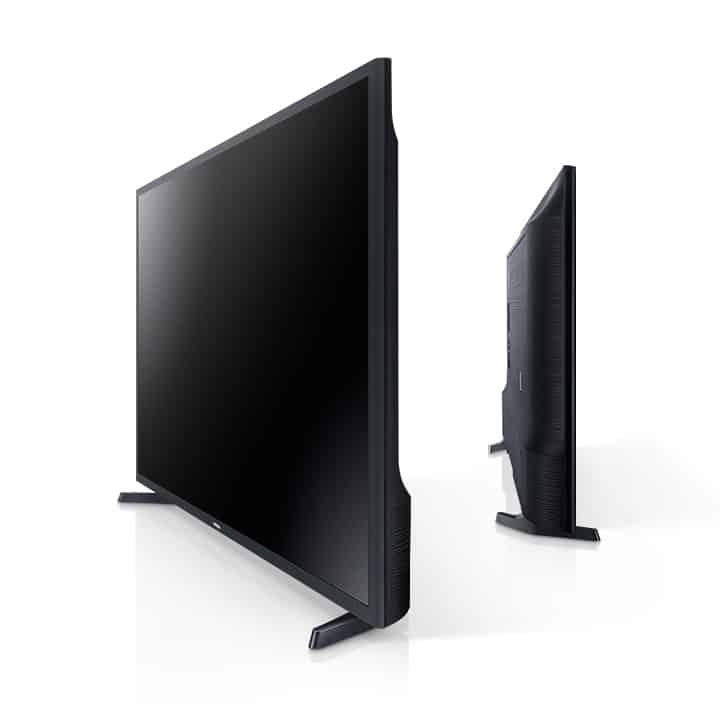
Slim
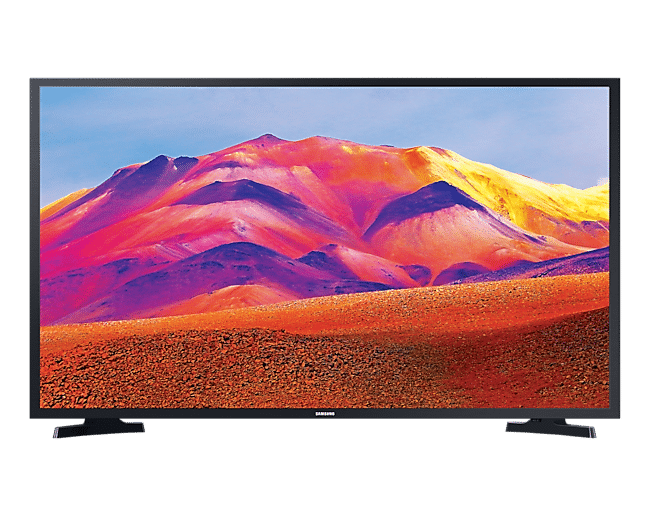
This beautifully slim design melts into any existing décor and elevates the style without taking it over.

Fits with your home ecosystem
Works with
Make life more connected. Samsung TV works seamlessly with Amazon Alexa and AirPlay 2.
* Some features and functions provided by connected devices may not be supported or limited to use.
Works wth Amazon Alexa
Amazon Alexa
New Samsung TV works with Alexa so your life just got simpler. It’s easy to connect your Alexa-enabled devices. With Samsung TV's compatibility, have Alexa turn on your TV, change channels, control volume, and more.
* Amazon, Alexa, and all related logos are trademarks of Amazon.com, Inc. or its affiliates.
** This service may not be available at the time of purchase of this product and the availability may vary by region.

Works with AirPlay 2
AirPlay 2
With AirPlay 2 built in, you can stream or share content from Apple devices to the big screen. Effortlessly play videos, music, photos and more from your iPhone, iPad and Mac on your Samsung TV.
* This service may not be available at the time of purchase of this product and the availability may vary by region.
** Images simulated for illustration purpose only.
*** Availability of the feature and Graphic User Interface (GUI) may vary by region. Check before use.

Specifications
 |  Galaxy AI is here Galaxy AI is here
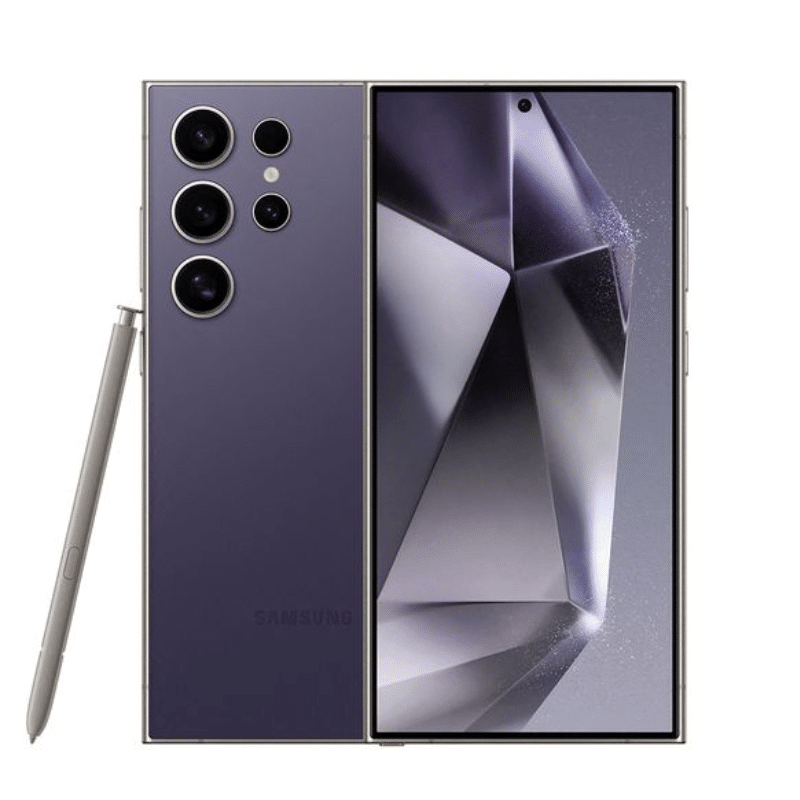
Welcome to the era of mobile AI. With Galaxy S24 Ultra in your hands, you can unleash whole new levels of creativity, productivity and possibility — starting with the most important device in your life. Your smartphone.
Epic, just like that.

Sleek. Strong. Stunning
Armor up with titanium
Check out the upgrade — a durable shield of titanium built right into the frame. The strength of titanium is now at your fingertips.

Built-in S Pen writes a whole new chapter
The legacy of Galaxy Note is alive and well. Write, tap and navigate with precision your fingers wish they had on the new, flat display.

200MP.Capture details that rival reality
With the most megapixels on a smartphone and AI processing, Galaxy S24 Ultra sets the industry standard for image quality every time you hit the shutter. What's more, the new ProVisual engine recognizes objects — improving colour tone, reducing noise and bringing out detail.
Our most powerful Quad Tele zoom yet
Don’t let long distance get you down. Now you can get 2x, 3x, 5x and even 10x close-ups with optical or optical quality zoom.9,12,13 Plus, the new, powerful Tele OIS is wider than before to stabilize the shot for less zoom-in blur.7
Digital zoom closes in, AI Zoom amps it up
Go from scenic to specific thanks to deep learning-based AI Zoom. Glide seamlessly past 1x zoom all the way to 100x zoom while AI amps up the details at all the points in between.10,15

ProVisual engine shoots every night in clear detail
Space Zoom puts you in the middle of the action, even at night. With 1.6x larger pixels and a wider Tele OIS, photos and videos are brighter and more stable — making even distant subjects clearly stunning.7,10,11
 Resize it, retouch it. Just like that Resize it, retouch it. Just like that
Something out of place? Just move it in post. New AI-powered editing options let you get the photo you wanted, like relocating objects and intelligently filling in the space they left behind.4
Bend time with Instant Slow-mo
Turn regular videos into cinematic marvels using Instant Slow-mo. With AI-generated images between frames, all it takes is a simple touch and hold to control when to start and stop the Slow-mo effect, even on downloads.38
Super HDR. AI from preview to post
With our latest Super HDR upgrade, camera previews display Super HDR just like your final capture. You can immediately see what your super-vivid photos and videos will look like before you even take them.16 Plus, it even works when you're shooting with social media app cameras.
Circle it, find it. Just like that
A new way to search is here with Circle to Search.1 While scrolling your fav social network, use your S Pen or finger to circle something and get Google Search results.
Stumble upon a photo of a plant so beautiful that you just have to know what it is? Circle it and ta-da, you'll get Google Search results. Now you can quickly get an answer without leaving your feed.
Pick the right tone for your text with Chat Assist

Our most hyper-realistic mobile gameplay yet
Victory can be yours with the new Snapdragon® 8 Gen 3 for Galaxy. Faster processing gives you the power you need for all the gameplay you want.7 Then, manifest graphic effects in real time with ray tracing for hyper-realistic shadows and reflections.
And guess what? We've nearly doubled the size of Galaxy S24 Ultra's Vapor Chamber to improve heat dissipation and give you the smooth graphics experience as it was intended.
All-day battery to play on and on
With massive capacity and greater energy efficiency, Ultra's battery gives you extra life when it matters most — you know, like the epic boss battle you've been gearing up for.
2600 nit display. Our brightest adaptive mobile display under the sun
Our most immersive display comes with some major visibility upgrades. Corning® Gorilla® Armor reduces reflections and improves visual clarity, even in direct sunlight. Then, an improved Vision Booster enhances contrast and colour for a clearly exceptional experience.
Quick Share outside your ecosystem
You're not limited to Galaxy phones. Use QR codes and saved contacts to share with iOS users or far-away friends and family.

Secured by Samsung Knox
Rest easy with our unparalleled mobile protection, fortified by the impenetrable Knox Vault, as well as Knox Matrix, Samsung's vision for multi-device security.
Changes start from small steps
We're moving toward a sustainable future, step by step. We believe in building a sustainable journey through small changes that could make a big difference. It feels good to do good.
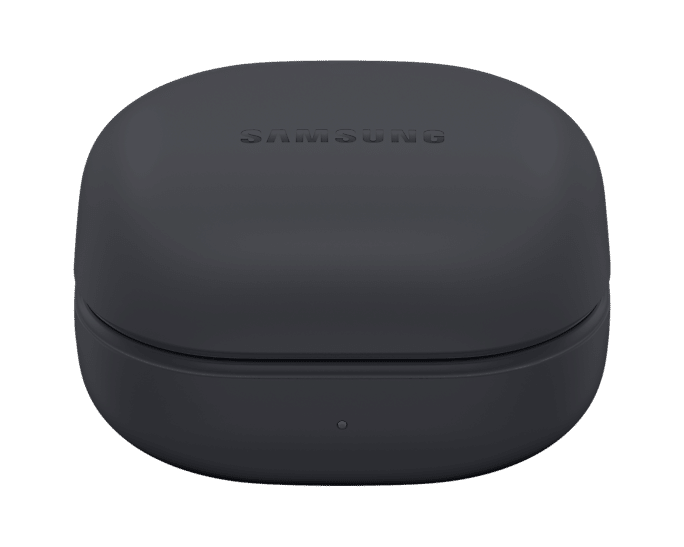
 | Galaxy Buds2 Pro


- Ultimate Hi-Fi sound in your ear
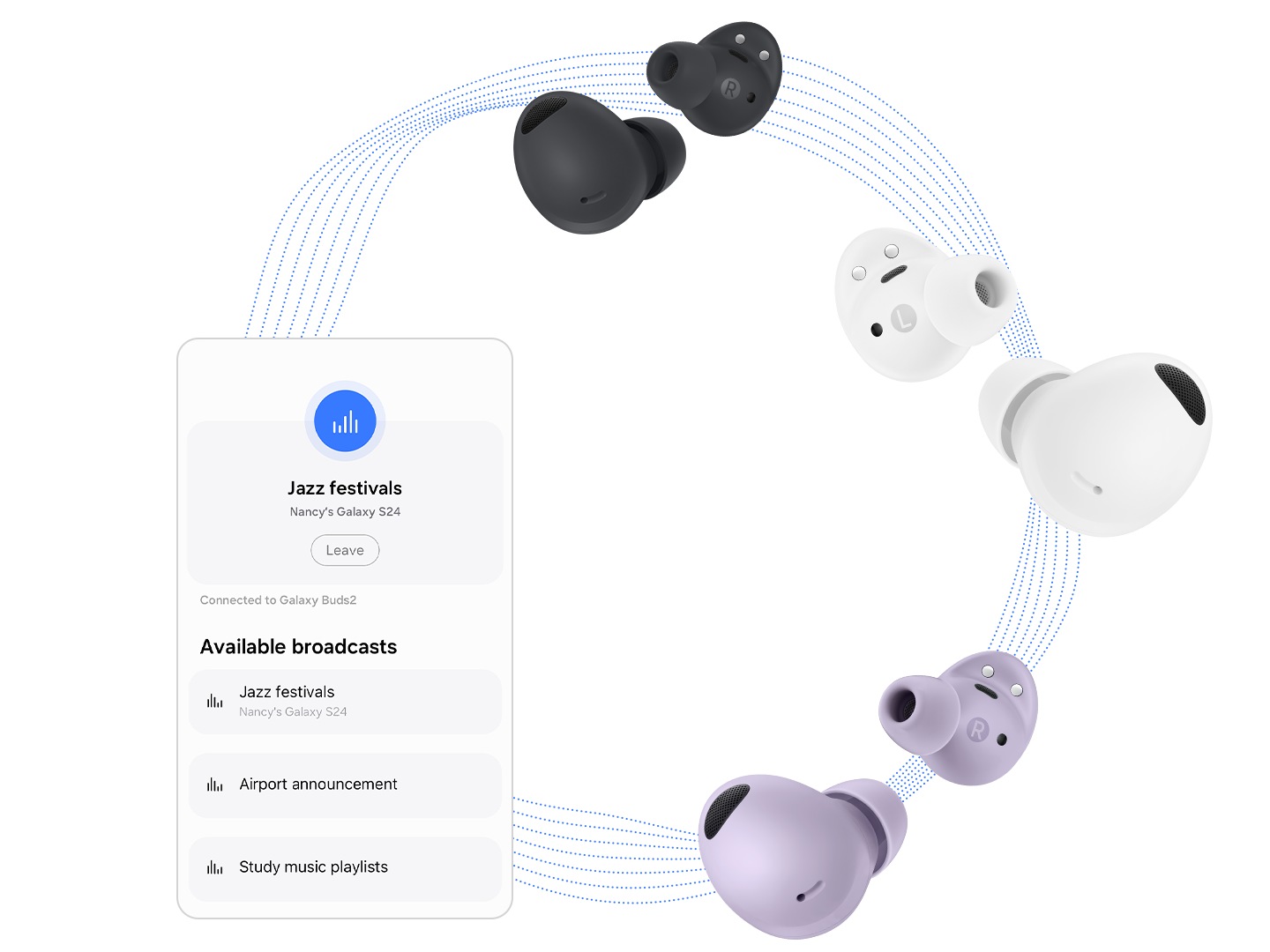
- Seamless connectivity
- Comfortable fit
- The ultimate Hi-Fi sound is now wireless
- AI assistance right in your ear
Galaxy AI is here
Elevate your Galaxy AI experience with Galaxy Buds2 Pro. Now you have a translator right in your ear. Turn on the translation features on your Samsung Galaxy smartphone with Galaxy Buds2 Pro on. Make friends with no language barrier when talking face-to-face or over the phone.
- Interpreter feature requires Samsung Account login. Certain languages may require language pack download. Service availability may vary by language. Accuracy of results is not guaranteed.
- Live Translate feature requires a network connection and Samsung Account login. Live Translate feature is only available on the pre-installed Samsung Phone app. Certain languages may require language pack download. Service availability may vary by language, country, region or carrier. Accuracy of results is not guaranteed.
- Galaxy AI features are supported on Galaxy S24 Ultra, S24 Plus and S24 as of Feb. 2024.
- Samsung Galaxy devices may require the latest software update to properly support Galaxy AI features.
- Images simulated for illustrative purposes. Actual UX/UI may be different.
SOUND EXPERIENCE
The clear choice for quality sound
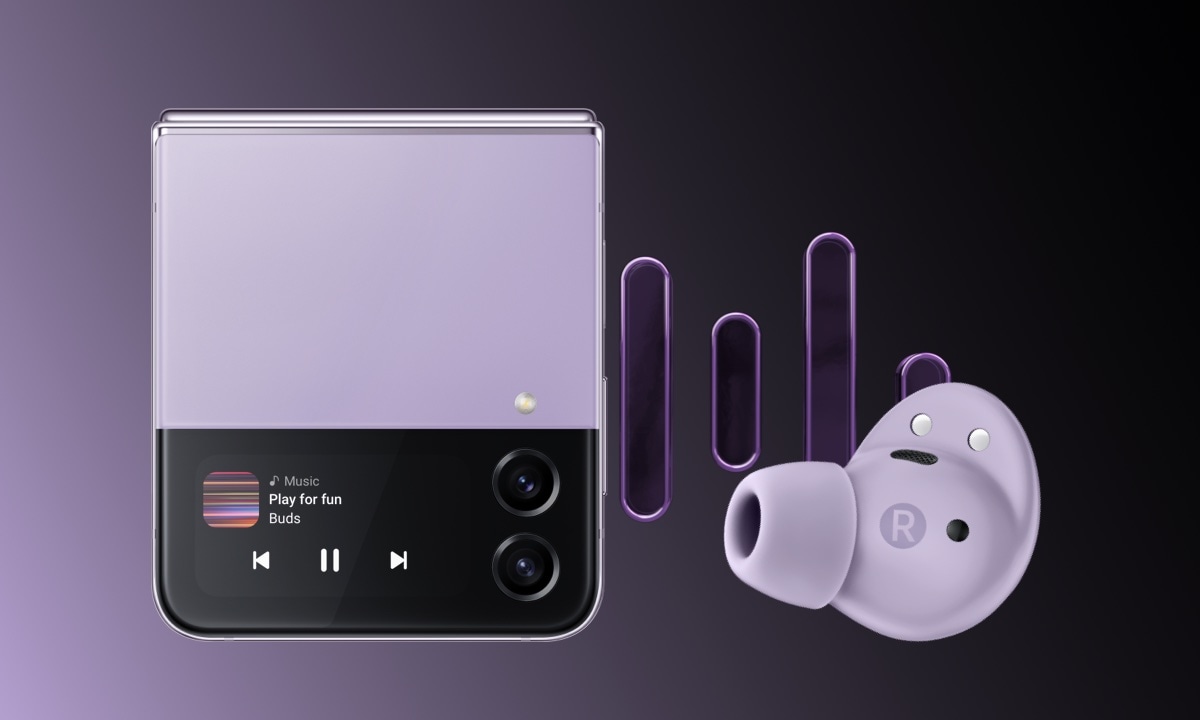
24-BIT Hi-Fi AUDIO
Hear sound as it was intended, wirelessly

24-bit
Hi-Fi audio
 |
Watch, Play, Connect
* Samsung is ranked No.1 TV brand for 14 years.
** Source – Omdia, Jan-2020. Ranking in terms of shipments. Results are not an endorsement of Samsung. Any reliance on these results is at the third-party’s own risk.
Find 2 times the clarity
Full HD Resolution
Your favorite TV programs and movies get real. The rich and vivid Full HD resolution with twice the resolution of HD TV.
Find a variety of content with one remote
Smart Hub & One Remote Function
All you need is one remote to discover tons of different kinds of content. From controlling your set-top box to game console, apps, and even live TV.
* Actual remote control may differ from image shown.
** Service may not be launched at the same time as Samsung TV, and the availability may vary by region.
See the stunning detail
HDR
High-Dynamic Range levels up bright expression of your TV, so you can enjoy an immense spectrum of colors and visual details, even in dark scenes.
Lifelike color that brings you closer
PurColor
PurColor makes watching videos feel almost like you're there. It enables the TV to express a huge range of colors for optimal picture performance, and an immersive viewing experience.
Your new home office
Remote Access
Get office work done on your TV at home. Remote Access lets you mirror your computer’s display on the TV screen wirelessly. You can even tap into your office PC to access files or work on documents using Microsoft Office 365—all from the comfort of your couch.
* Feature availability may vary by model and region.
** TV and computer must be connected to a network.
*** Screen sharing(mirroring) is only supported for Windows 10.
**** Remote connection to a PC running on Windows is only supported for Windows 7 or later. And the operation system must be a Professional or higher edition.
***** Remote connection to a PC running on Mac is only supported for Mac OS X 10.5 or later.
****** PC accessories such as mouse and keyboard are sold separately.
******* This service requires setting to allow remote connections within a PC.
Improved detail for a clear picture
Ultra Clean View
Ultra Clean View delivers high quality images with less distortion, utilizing an advanced algorithm to analyze original content and deliver improved detail.
See images comes to life
Contrast Enhancer
Contrast Enhancer brings flat image to life by adjusting the contrast, offering outstanding picture quality with deeper depth.
Stylish design for your space
Slim
This beautifully slim design melts into any existing décor and elevates the style without taking it over.
Fits with your home ecosystem
Works with
Make life more connected. Samsung TV works seamlessly with Amazon Alexa and AirPlay 2.
* Some features and functions provided by connected devices may not be supported or limited to use.
Works wth Amazon Alexa
Amazon Alexa
New Samsung TV works with Alexa so your life just got simpler. It’s easy to connect your Alexa-enabled devices. With Samsung TV's compatibility, have Alexa turn on your TV, change channels, control volume, and more.
* Amazon, Alexa, and all related logos are trademarks of Amazon.com, Inc. or its affiliates.
** This service may not be available at the time of purchase of this product and the availability may vary by region.
Works with AirPlay 2
AirPlay 2
With AirPlay 2 built in, you can stream or share content from Apple devices to the big screen. Effortlessly play videos, music, photos and more from your iPhone, iPad and Mac on your Samsung TV.
* This service may not be available at the time of purchase of this product and the availability may vary by region.
** Images simulated for illustration purpose only.
*** Availability of the feature and Graphic User Interface (GUI) may vary by region. Check before use.
Specifications
 |






Reviews
There are no reviews yet.