



Design
 Display
 Processor

Memory

Main Camera
 Selfie Camera
 Battery

b-timeline domain was triggered too early. This is usually an indicator for some code in the plugin or theme running too early. Translations should be loaded at the init action or later. Please see Debugging in WordPress for more information. (This message was added in version 6.7.0.) in /home/geacoke/public_html/wp-includes/functions.php on line 6131open-user-map domain was triggered too early. This is usually an indicator for some code in the plugin or theme running too early. Translations should be loaded at the init action or later. Please see Debugging in WordPress for more information. (This message was added in version 6.7.0.) in /home/geacoke/public_html/wp-includes/functions.php on line 6131woo-checkout-field-editor-pro domain was triggered too early. This is usually an indicator for some code in the plugin or theme running too early. Translations should be loaded at the init action or later. Please see Debugging in WordPress for more information. (This message was added in version 6.7.0.) in /home/geacoke/public_html/wp-includes/functions.php on line 6131woo-product-filter domain was triggered too early. This is usually an indicator for some code in the plugin or theme running too early. Translations should be loaded at the init action or later. Please see Debugging in WordPress for more information. (This message was added in version 6.7.0.) in /home/geacoke/public_html/wp-includes/functions.php on line 6131woocommerce domain was triggered too early. This is usually an indicator for some code in the plugin or theme running too early. Translations should be loaded at the init action or later. Please see Debugging in WordPress for more information. (This message was added in version 6.7.0.) in /home/geacoke/public_html/wp-includes/functions.php on line 6131wp-optimize domain was triggered too early. This is usually an indicator for some code in the plugin or theme running too early. Translations should be loaded at the init action or later. Please see Debugging in WordPress for more information. (This message was added in version 6.7.0.) in /home/geacoke/public_html/wp-includes/functions.php on line 6131woocommerce-pdf-invoices-packing-slips domain was triggered too early. This is usually an indicator for some code in the plugin or theme running too early. Translations should be loaded at the init action or later. Please see Debugging in WordPress for more information. (This message was added in version 6.7.0.) in /home/geacoke/public_html/wp-includes/functions.php on line 6131xtra domain was triggered too early. This is usually an indicator for some code in the plugin or theme running too early. Translations should be loaded at the init action or later. Please see Debugging in WordPress for more information. (This message was added in version 6.7.0.) in /home/geacoke/public_html/wp-includes/functions.php on line 6131

KSh 14,630.00 – KSh 18,200.00
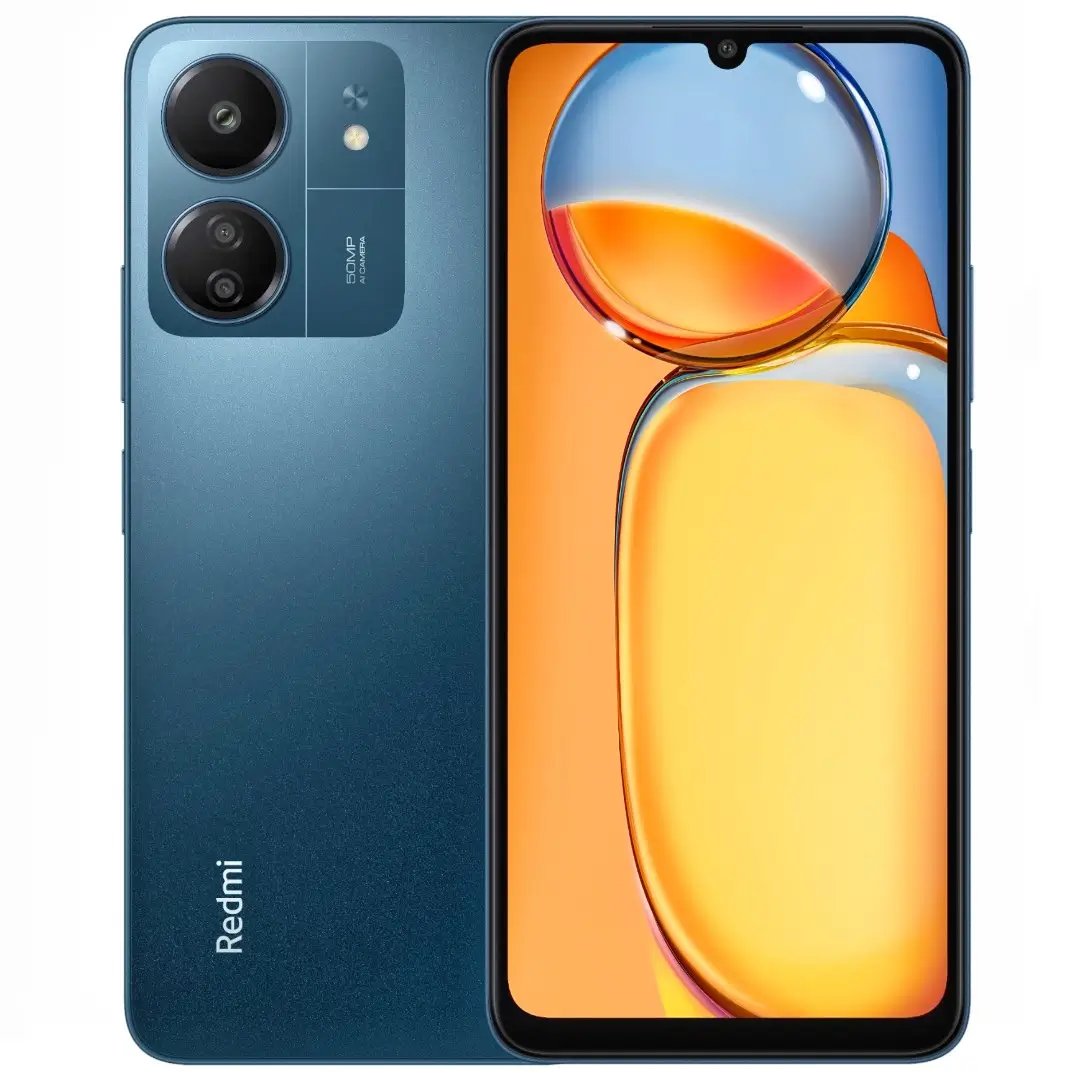
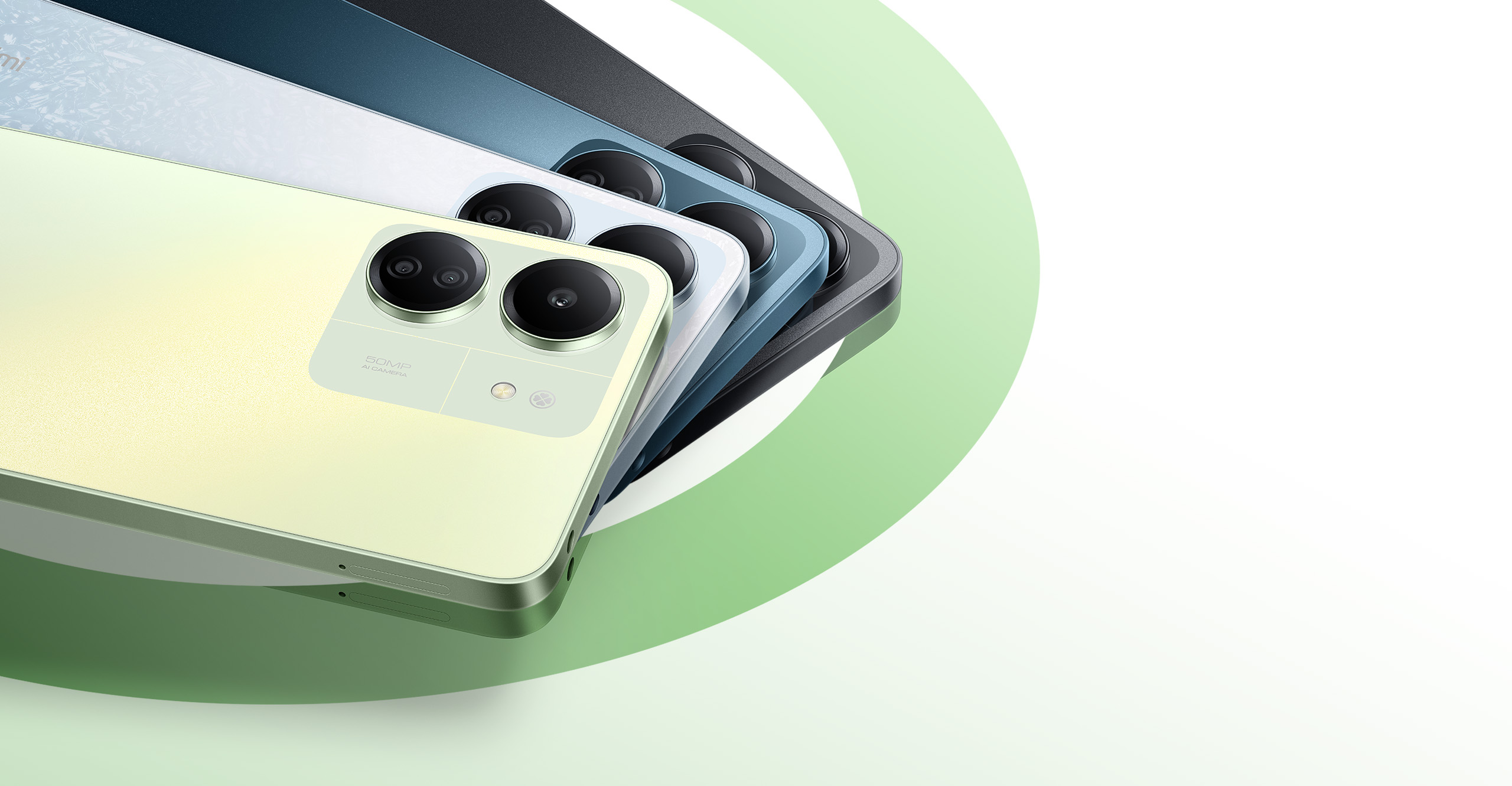
Redmi 13C Features and Specifications in kenya
 Display
 Processor
Selfie CameraBattery
| Storage | 4 + 128, 6+ 128, 8+ 256 |
|---|
| Settings | Xiaomi Redmi 13C remove | Mi Router 4C (White) remove | Xiaomi Mi 360° Home Security Camera 2K Pro remove | Mesh System AX3000(2-Pack) remove | Xiaomi Mi Wi-Fi Range Extender Pro CE (43371) remove | Xiaomi Mi 360 Smart Camera 1080P (C200) remove | ||
|---|---|---|---|---|---|---|---|---|
| Name | Xiaomi Redmi 13C remove | Mi Router 4C (White) remove | Xiaomi Mi 360° Home Security Camera 2K Pro remove | Mesh System AX3000(2-Pack) remove | Xiaomi Mi Wi-Fi Range Extender Pro CE (43371) remove | Xiaomi Mi 360 Smart Camera 1080P (C200) remove | ||
| Image | |  |  |  |  |  | ||
| SKU | ||||||||
| Rating | ||||||||
| Price | KSh 14,630.00 – KSh 18,200.00 | KSh 3,500.00 | KSh 7,500.00 | KSh 17,500.00 | KSh 2,900.00 | KSh 5,500.00 | ||
| Stock | ||||||||
| Availability | ||||||||
| Add to cart | ||||||||
| Description | Redmi 13C Features and Specifications in kenya
| Xiaomi Mi 360° Home Security Camera 2K Pro Features and Specifications
|
| |||||
| Content | 4 omnidirectional antennas for a faster and smarter experienceExternal antennas for better signal strength 64 MB memory for stable operation Smart management via app. 4 external antennas Powerful signals, wide coverage and fast transmissionThe 4 external omnidirectional external antennas with a signal gain of 5dBi can effectively enhance the signal gain effect to improve transmission performance and can be used easily in various complex real-world environments 
Large 64MB memory for quick processing and stable operationWith up to 64MB of memory, data transmission is more stable, ensuring the smooth operation of a larger number of functions and the stable connectivity of more smart devices. Up to 64 devices can be connected, making it the core for Xiaomi Smart Home devices in your home.  Intelligent speed limit for faster internet accessYou can choose a router configuration according to the app market or allow the Mi Router 4C to carry out intelligent optimisation so that you have a smoother experience playing games, watching videos or browsing the web. For a better online experience, you can also prioritize network bandwidth for a single device. 
Smart unauthorized access prevention Greater guarantee of internet speedThe majority of unauthorized Wi-Fi access is due to passwords being too simple or network sharing software being installed. The Mi Router 4C can alert you when a new device connects to the network. If a suspicious device tries to join the network, depending on the security level, it will be blocked from connecting, or you will be prompted to add the device to the blacklist. 
Wi-Fi optimisationTo give the network speed a boost, open the Mi Wi-Fi app, go to the toolbox, and simply click "Wi-Fi Optimisation" to automatically monitor and optimize the Wi-Fi channel in multiple dimensions. 
Remote management Your home network in the palm of your handYou can manage your home network at any time using the Mi Wi-Fi app, enabling you to check the status of your home network even when you're out. 
Quick and easy installation in just three steps
The simple design sits easily in any homeThe Mi Router 4C has an understated geometric design with a matte white plastic body. The simple appearance has a natural quality and enables it to blend into any room.  | Xiaomi Mi 360° Home Security Camera 2K ProUpgraded 3 million pixels for an even clearer display Mi 360° Home Security Camera 2K Pro Newly upgraded 3 million pixels, up to 2304 × 1296 resolution,for clarity in every frame.* Standard HD resolution: 1920 × 1080=1080 p (2 million pixels);Upgraded HD resolution: 2304 × 1296=1296 p (3 million pixels)  F1.4 large aperture and 6P lens for an excellent image capturing experience The F1.4 large aperture lens lets significantly more light enter, capturing detailed images even in low-light conditions; The fully upgraded lens effectively reduces light refraction for clearer, more detailed images Buy Xiaomi Mi 360 Degree Home Security Camera 2KEnhanced infrared night vision for clear images even in low-light The 940- nm infrared light with no visible red glow leaves you and your family to sleep undisturbed; features a high-sensitivity image sensor, and displays colour video in low-light F1.4 large aperture and 6P lens for an excellent image capturing experience The F1.4 large aperture lens lets significantly more light enter, capturing detailed images even in low-light conditions; The fully upgraded lens effectively reduces light refraction for clearer, more detailed images Buy Xiaomi Mi 360 Degree Home Security Camera 2KEnhanced infrared night vision for clear images even in low-light The 940- nm infrared light with no visible red glow leaves you and your family to sleep undisturbed; features a high-sensitivity image sensor, and displays colour video in low-light

 Dual-microphone noise reduction for clearer two-way voice calling Supports two-way real-time. voice calling, fitted with dual microphones that use active noise reduction technology to effectively reduce speaker echo,and enhance your call experience
 On-screen camera output display, keep an eye on what matters to you with any time, any place remote access to video output on your smartphone, tablet, and Mi Smart Clock*. Simply ask your Mi Smart Clock to view real-time video output from your camera. * Mi Smart Clock and other devices that can be linked to this product must be purchased separately 360° pan-tilt-zoom panorama for all-round monitoring with no blind spots Features a dual-axis pan-tilt-zoom motor, with a 360° horizontal viewing angle and 118° vertical viewing angle.
Mi Home app control and panorama imaging, so you can see everything. One-key physical shield for personal privacy protection When you don’t want camera monitoring enabled, you can enable the physical shield via the Mi Home app. Once enabled, the camera lens will automatically rotate downwards inside of the case to protect your privacy. Dual-band Wi-Fi connection, with no lag Supports 2.4 GHz/5 GHz dual-band Wi-Fi connections, reduces signal interference, improves transmission speed, and provides a more stable connection with no lag. The built-in Bluetooth gateway enables smart connections The Mi 360° Home Security Camera 2K Pro features a built-in Bluetooth gateway.
Connect Bluetooth devices to view device data via the Mi Home app. Access settings to link your device with other Xiaomi smart devices. Seamless viewing that saves storage space New-generation H.265 video encoding technology enables seamless viewing with no change to network conditions, saves bandwidth, and provides a clear and detailed picture. H.265 videos require only 50% of the storage space required for traditional H.264 videos at the same pixel and data rate, so you save half the storage space. Saves 50% video storage space Saves 50% bandwidth Supports standard and inverted mounting, with 180° screen rotation Includes screw-in base accessories for easy installation. For inverted mounting, rotate the screen in
On-screen camera output display, keep an eye on what matters to you with any time, any place remote access to video output on your smartphone, tablet, and Mi Smart Clock*. Simply ask your Mi Smart Clock to view real-time video output from your camera. * Mi Smart Clock and other devices that can be linked to this product must be purchased separately 360° pan-tilt-zoom panorama for all-round monitoring with no blind spots Features a dual-axis pan-tilt-zoom motor, with a 360° horizontal viewing angle and 118° vertical viewing angle.
Mi Home app control and panorama imaging, so you can see everything. One-key physical shield for personal privacy protection When you don’t want camera monitoring enabled, you can enable the physical shield via the Mi Home app. Once enabled, the camera lens will automatically rotate downwards inside of the case to protect your privacy. Dual-band Wi-Fi connection, with no lag Supports 2.4 GHz/5 GHz dual-band Wi-Fi connections, reduces signal interference, improves transmission speed, and provides a more stable connection with no lag. The built-in Bluetooth gateway enables smart connections The Mi 360° Home Security Camera 2K Pro features a built-in Bluetooth gateway.
Connect Bluetooth devices to view device data via the Mi Home app. Access settings to link your device with other Xiaomi smart devices. Seamless viewing that saves storage space New-generation H.265 video encoding technology enables seamless viewing with no change to network conditions, saves bandwidth, and provides a clear and detailed picture. H.265 videos require only 50% of the storage space required for traditional H.264 videos at the same pixel and data rate, so you save half the storage space. Saves 50% video storage space Saves 50% bandwidth Supports standard and inverted mounting, with 180° screen rotation Includes screw-in base accessories for easy installation. For inverted mounting, rotate the screen in
 camera settings to display the picture normallyimage Three storage methods for increased security Supports three storage methods, a local Micro SD card, NAS devices and the cloud, so you can back up your data with peace of mind. Local Micro SD card Up to 32 GB of storage Historical video back-ups from the Micro SD card Free 7-Day Rolling Cloud Storage of Motion-Triggered Video Clips
 | Stay connected with Wi-Fi 6BSI Kitemark™ certified*The data security you can trust
Xiaomi's mesh system provides full coverage for complex home arrangementsXiaomi Mesh System AX3000 (2-Pack) combines into a mesh network that provides Wi-Fi 6 coverage throughout the home, covering up to 4,000 square feet of space. Xiaomi Mesh System AX3000 supports mesh networking with the same model and/or Mi Router AX9000 for up to 10 total devices. The signal roams between different routers automatically and seamlessly, allowing you to play as you go. 
Mesh system with self-repairing* capabilitiesIn a mesh network created using Xiaomi Mesh System AX3000, when a failed node is detected, the entire network architecture is re-planned to ensure normal mesh network operation. 
The easy-to-use mesh set is smart and simple to installXiaomi Mesh System AX3000 (2-Pack) bundle is pre-configured at the factory, so no complicated set-up is required, and it is ready to use*. It's now easy to enter the high-speed Internet era, with no expertise required. 
Get started right away and enjoy lightning-fast Wi-Fi 6Xiaomi Mesh System AX3000 (2-Pack) offers 2.4GHz and 5GHz bands, each with 802.11ax technology. The two bands offer a combined dual-band wireless speed of up to 2976Mbps *. That's nearly twice the speed of a typical AC1200 router. 1024 QAM technology is also faster than Wi-Fi 5's 256 QAM, so you don't have to wait for high-speed Internet access. 
160MHz high-bandwidth for a superb experienceIf bandwidth is like a highway, conventional 2-lane traffic systems are always congested. With the Xiaomi Mesh System AX3000 (2-Pack), however, the width of every lane, and speeds in the 5GHz band are doubled *. Enjoy an ultimate smooth online experience, even when connecting with multiple devices. | From the Manufacturer 


Easy Wi-Fi extensionTired of Wi-Fi “dead zone”? Mi Wi-Fi Range Extender Pro can help you easily connect to the network. Put the extender near the router, turn the power on and wait for the yellow indicator light to start flashing. Scan the QR code to install the app and follow the instructions to add the device. When the indicator light turns blue, pairing is complete. Now you can simply unplug and plug the Mi Wi-Fi Range Extender Pro in a location for the best signal quality and coverage in your house, without needing to configure the extender again. Boost your wireless networkMi Wi-Fi Range Extender Pro connects to your router wirelessly, strengthening and expanding its signal to every corner of the home – even to those, hard-to-reach spots, such as bathrooms, balconies, bedrooms. This ensures an increased coverage of reliable and high-speed Internet for devices such as notebooks, tablets, smartphones, game consoles and smart TVs. 2×2 external antenna, with a transmission rate of up to 300MbpsAdd Wi-Fi extenders to vastly speed up your gaming and movie-watching experience. The upgraded Mi Wi-Fi Range Extender Pro now comes with a 2×2 external antenna to maintain a transmission rate of 300 Mbps while also increasing signal stability. The best connection is selected automatically, to give you a better experience anytime, anywhere. Support up to 16 devices connected simultaneouslyOnce connected with an existing router, you always get a reliable connection wherever you watch TV, catch up with the latest series or share happy memories with the kids via video call. Find the best location with Mi Home appFor the best results, Mi Wi-Fi Range Extender Pro needs to be placed somewhere between the router and the dead zone and with a strong and stable router signal — you can check this through Mi Home app. Specifications:• Dimensions: 80 x 54 x 70 mm • CPU: MT7628K 580 MHz • ROM: 2 MB • RAM: 8 MB • Antenna Type: 2 external antennas • Wireless Standards: IEEE 802.11b/g/n • Signal Rate: 2.4 GHz, up to 300 Mbps • Wireless Security: WPA-PSK/ WPA2-PSK encryption • Power Supply: 100-240 V/0.35 A Package Contents• MI WI-FI Range Extender Pro CE (43371) • 1 Quick Installation Guide • 12 Month Warranty* * Warranty becomes null and void from electrical & power surges or power related issues. | Xiaomi Smart Camera C200360° full viewing coverage for your home security 1080p high resolution | 360° rotation | Infrared night vision | Human tracking
1080p Full HD for clearer video qualityWith 1080p Full HD, 2.0 megapixel and WDR support, even backlit pictures appear clear and detailed.
Secure living with panoram 360° pan-tilt-zoom monitoringFeatures a dual-axis pan-tilt-zoom motor, with a 360° horizontal viewing angle and 106° vertical viewing angle.
Night vision with no visible red glow for clearer and safer monitoringSleep undisrupted with no visible red glow at night and no visual pollution. 940nm infrared light for clearer night-time images.
Connect and view video output on your other smart home devicesWhen connected to the Mi Smart Clock, you can view camera video output on the display *Mi Smart Clock is sold separately.
AI human detection for automatic tracking and recordingThe all-new AI human-detection algorithm provides faster contour detection and automatic tracking and recording, while effectively filtering false alarms for improved accuracy. *Human tracking function is disabled by default and can be enabled via the Mi Home/Xiaomi Home App.
Two-way voice calls in real time, so you can “visit home” whenever you likeSupport two-way real-time voice calling* that feels like a face-to-face conversation, so you can chat intimately with your loved ones no matter where you are. *Two-way voice calling refers to two-way real-time calls to the Xiaomi Smart Camera C200 via the Mi Home/Xiaomi Home App.
`Seamless video viewing that saves storage space with H.265 video encoding technologyNew-generation H.265 video encoding technology enables more seamless viewing under normal network conditions, saves bandwidth and provides a clear and detailed picture. H.265 videos require only 50% of the storage space required for traditional H.264 videos at the same pixel and data rate, allowing you to save half the storage space.
Three storage methods for increased securitySupport three storage methods, local Micro SD card*, NAS devices (such as Mi Wi-Fi and other Network-Attached Storage devices with storage functions) and the cloud, so you can back up your data with peace of mind. Tookfun
Support remote viewing on multiple devices for simple family sharingSupport sharing for multiple users. Video access for the whole family.
Fully encrypted to protect your privacyEquipped with the Xiaomi Security Chip, the camera can fundamentally prevent privacy leakage caused by video streaming, device forgery etc.
Support standard and inverted mounting, with 180° screen rotationIncludes screw-in base accessories for easy installation. For inverted mounting, rotate the screen in camera settings to display the picture normally.
Enable your security camera in three simple steps① Download the Mi Home/Xiaomi Home App ② Turn on the Xiaomi Smart Camera C200 ③ To start using, open the App, then search for and connect to the device
Package contentsXiaomi Smart Camera C200 User manual Power cable Wall mount accessories package | |||
| Weight | ||||||||
| Dimensions | N/A | N/A | N/A | N/A | N/A | N/A | ||
| Additional information |
| |||||||



There are no reviews yet.


Reviews
There are no reviews yet.